
1
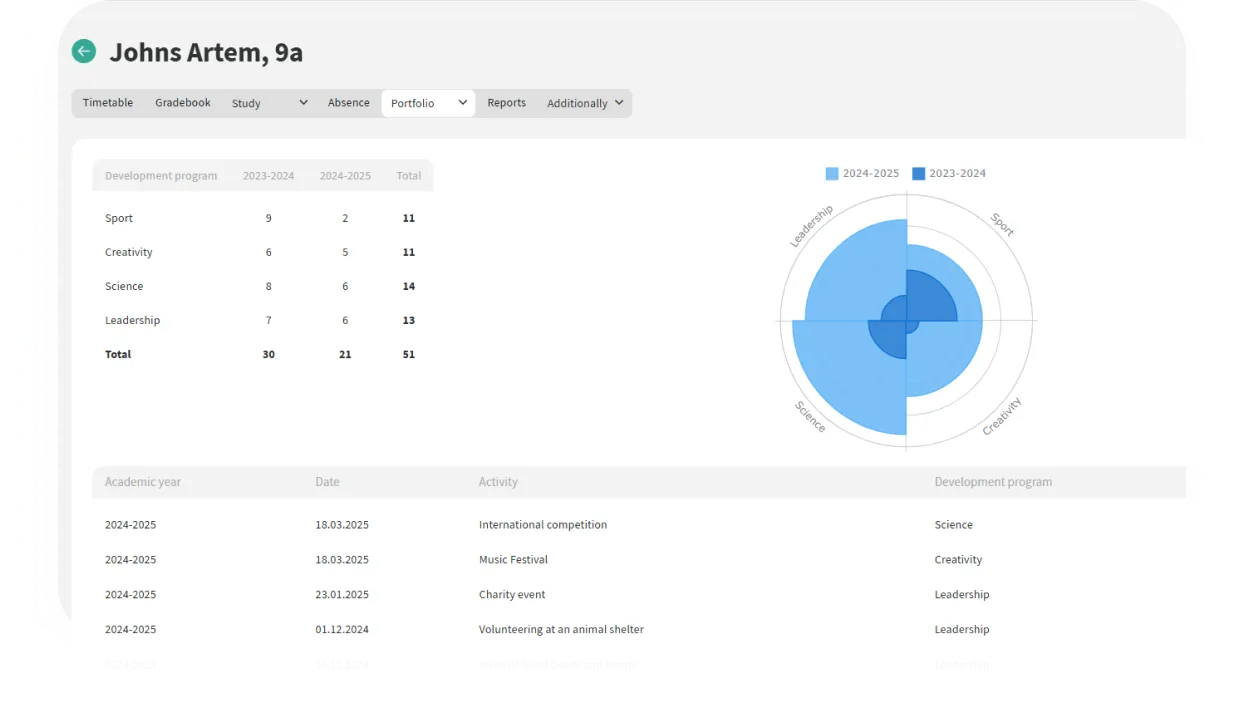
The school sets development directions (sports, science, leadership, creativity)
2
Activities are added: competitions, projects, events, clubs
3
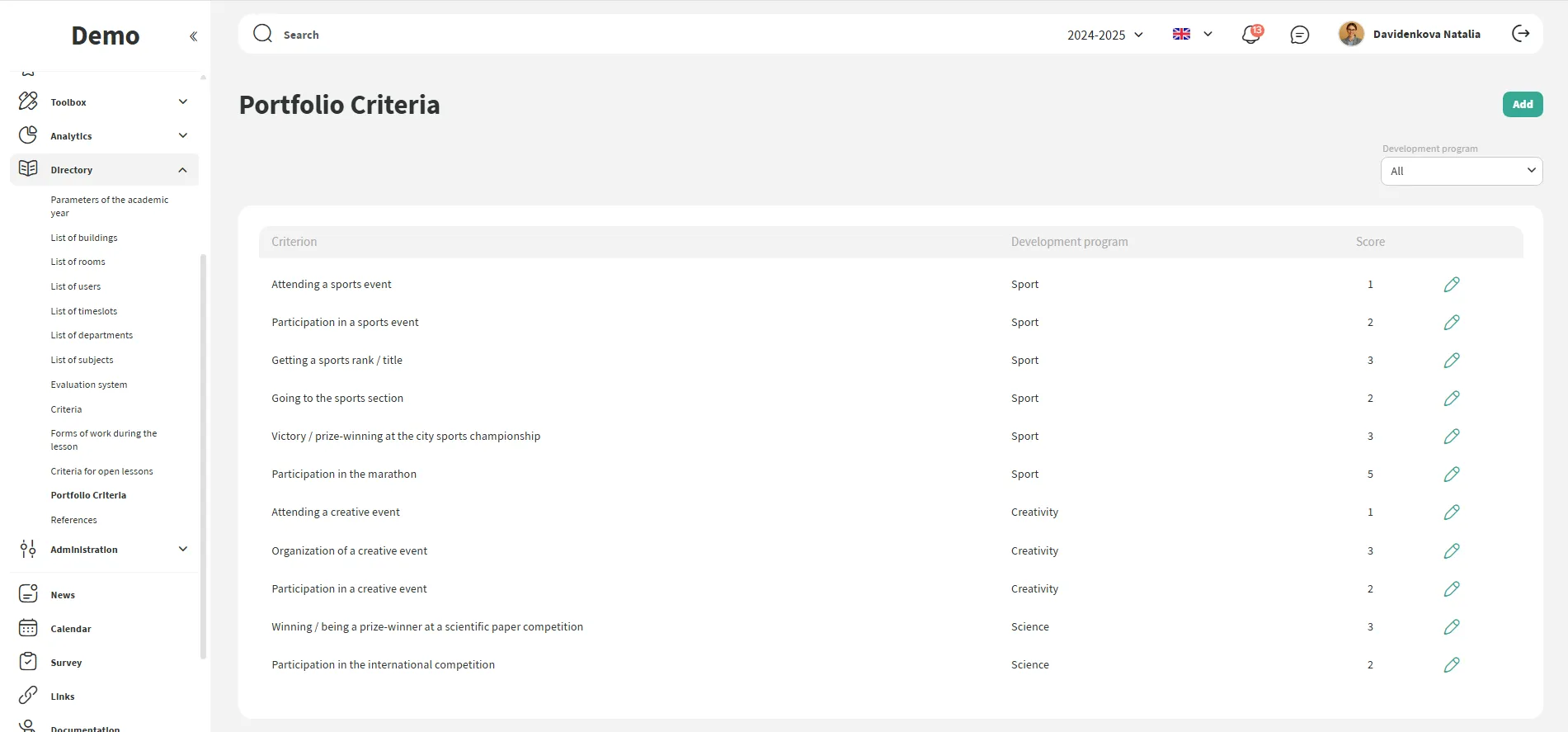
Student participation is recorded, and points are assigned based on criteria
4
The digital development profile is displayed in the personal account
5
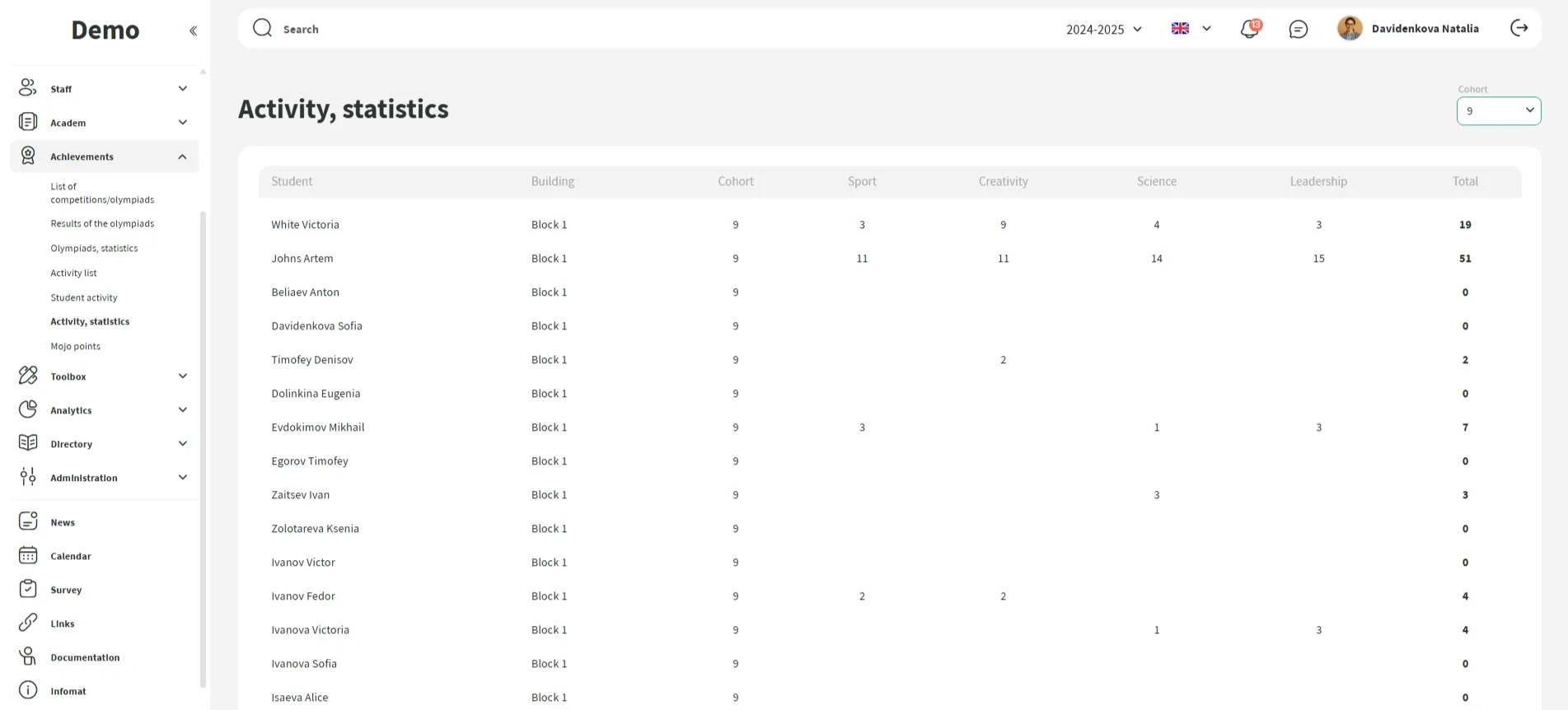
The administration analyzes the development of students and the entire school
Collect everything: tournaments, events, projects. The student's personal profile accumulates the history of their activities and achievements.
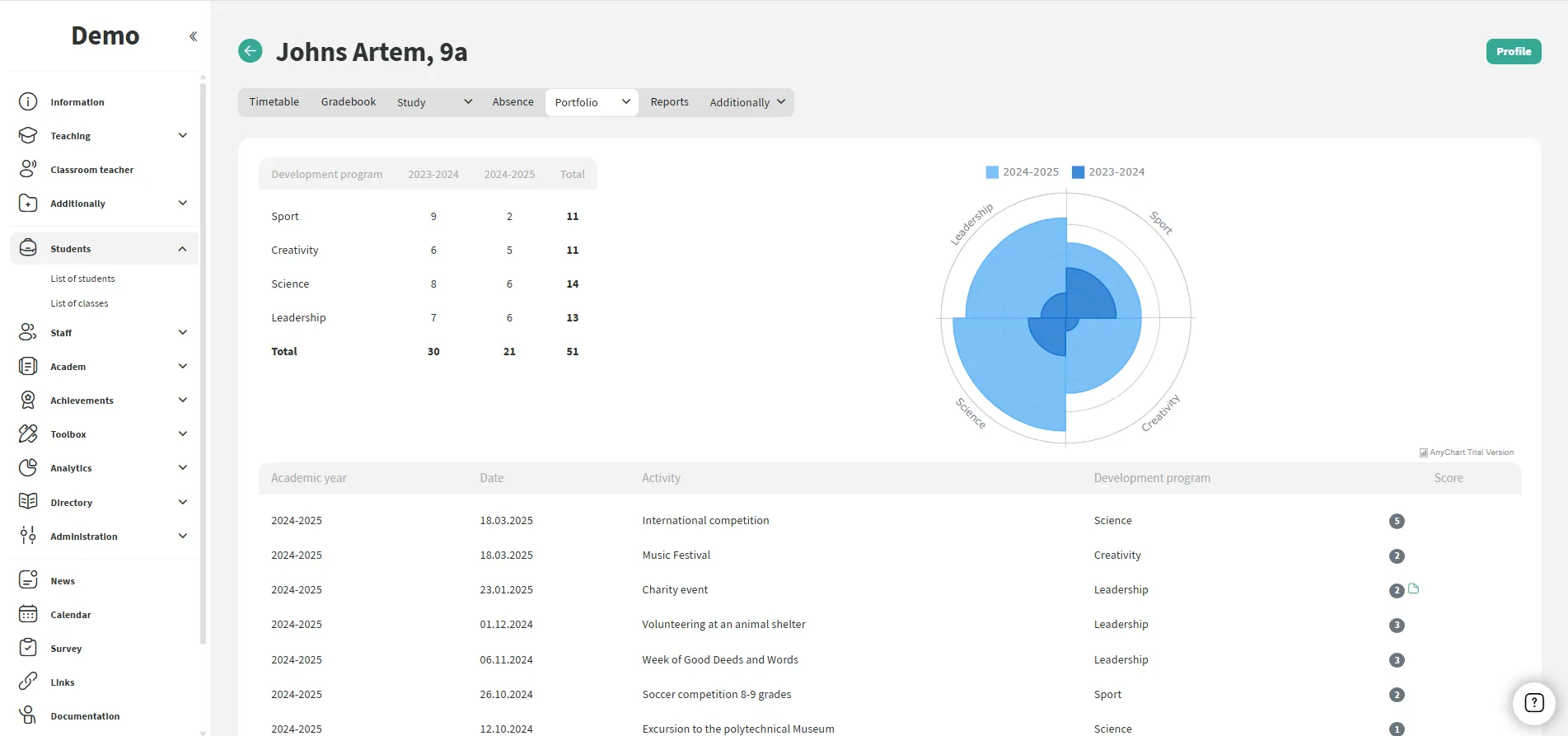
Assign points to each activity — this allows creating clear charts and adds a gamification element.
The school has access to a comprehensive report on extracurricular activities. This is convenient for mentors, tutors, and coordinators.





Thanks
We have accepted the application and will contact you soon to set a time for the presentation.
Get Started with Mojo
Our specialist will give you a personalized demo and show the platform’s features in action.
