Automatic Timetable Builder
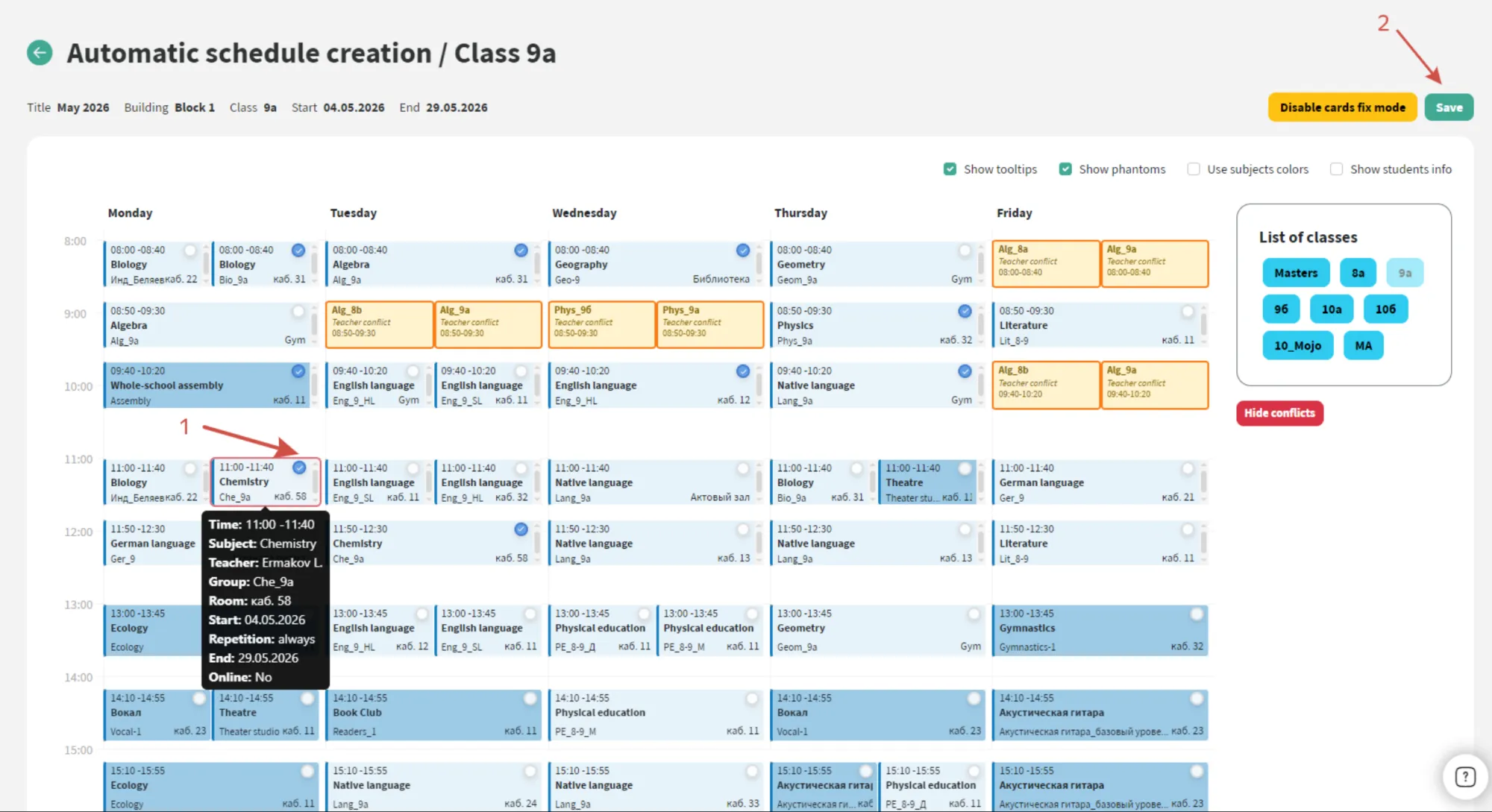
The module automatically builds a timetable for the whole school, taking into account teaching loads, staff availability, classes, rooms and the rules set by your school.
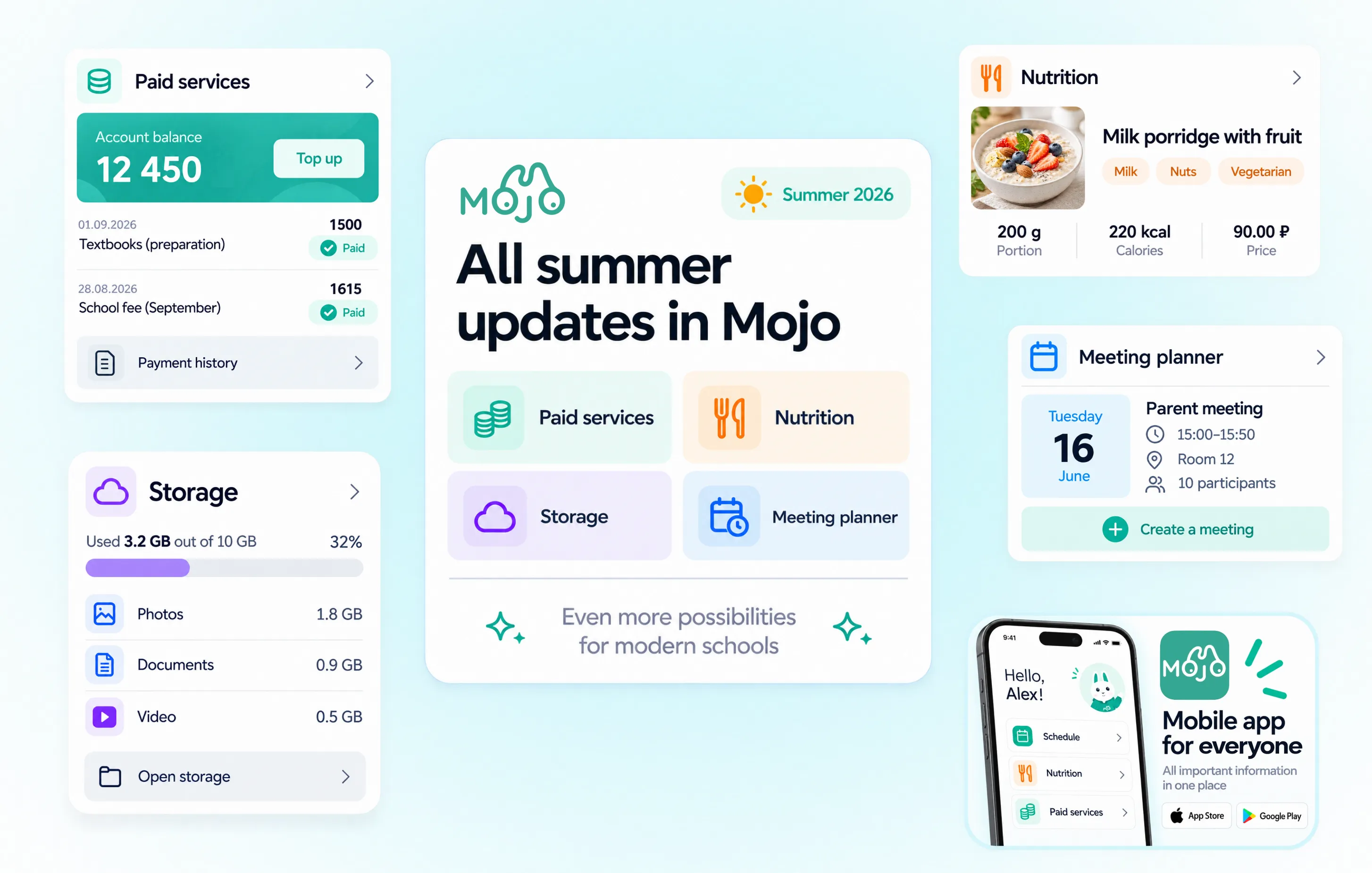
This summer, Mojo introduced everything from major new modules to smaller features that make everyday school work easier. We have brought the key updates together in one article and divided them into four sections.
Six major tools help schools automate timetabling, paid services, school documents, meetings, file storage and boarding.
The module automatically builds a timetable for the whole school, taking into account teaching loads, staff availability, classes, rooms and the rules set by your school.
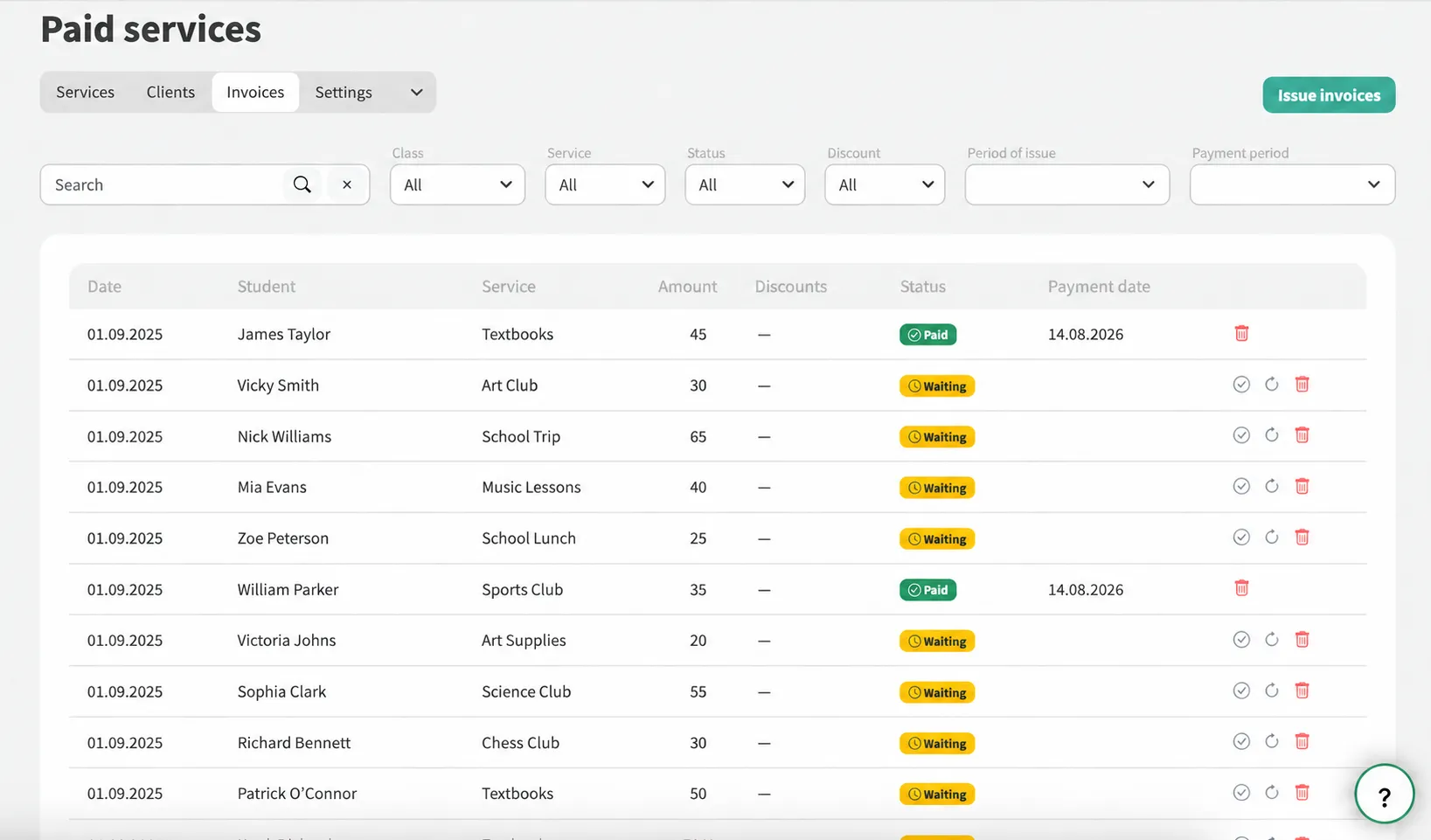
Three connected areas help schools manage additional services, paid clubs and school meals through the same system.
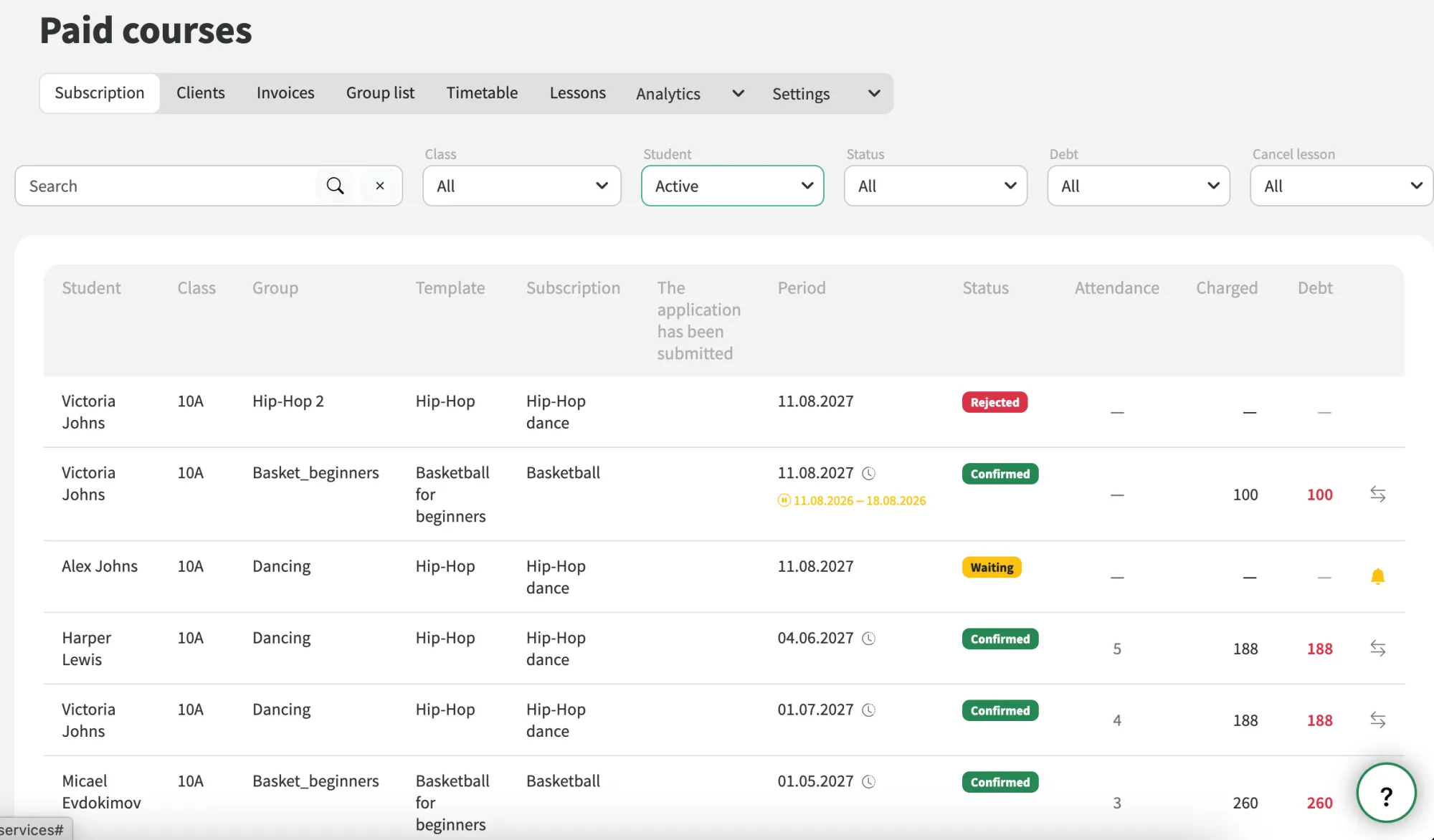
The module supports clubs and additional classes where schools need to manage both payments and the learning process itself.
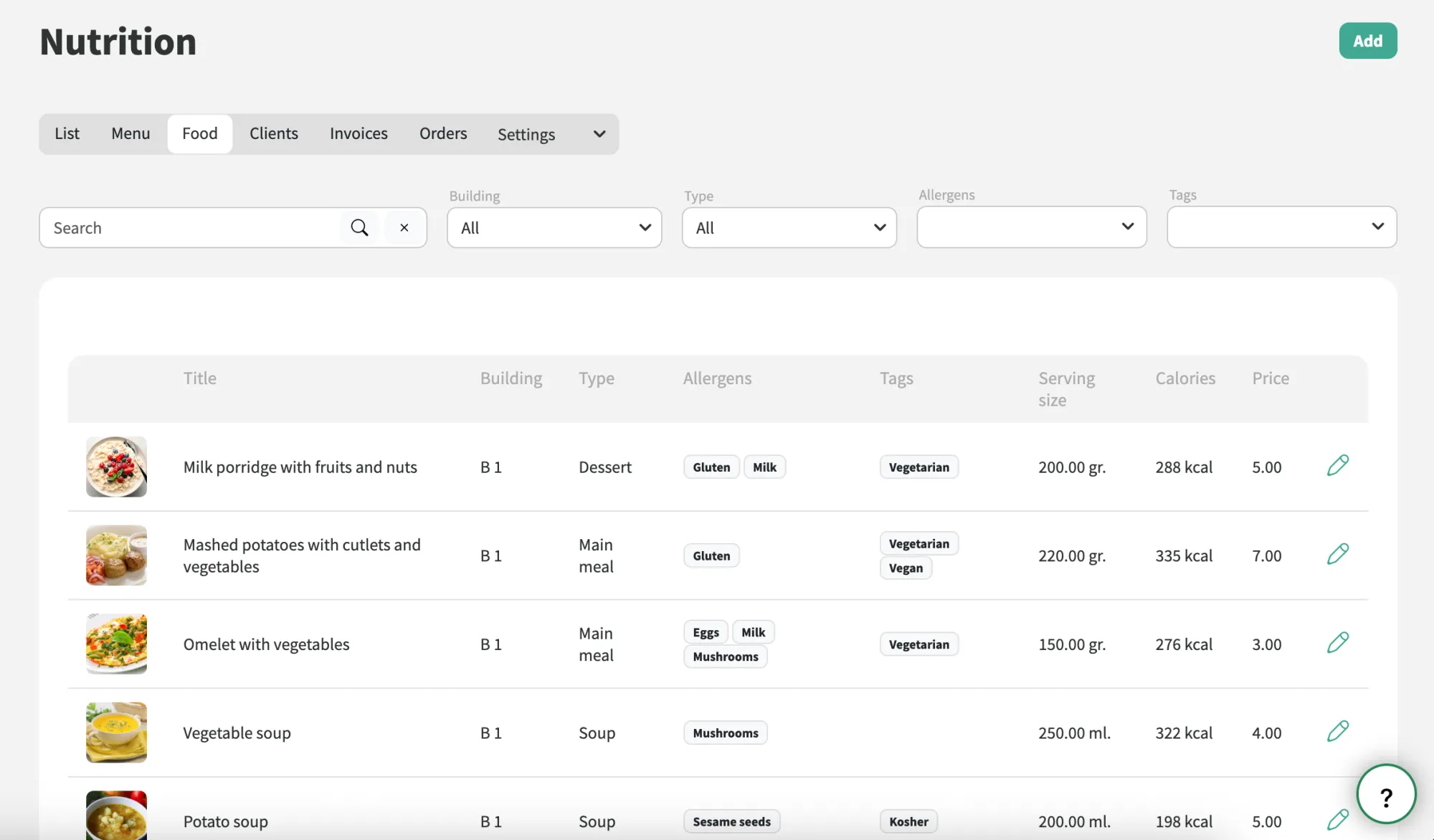
The module supports the full school meal process, from creating menus and setting individual requirements to recording meals, issuing invoices and taking payments.
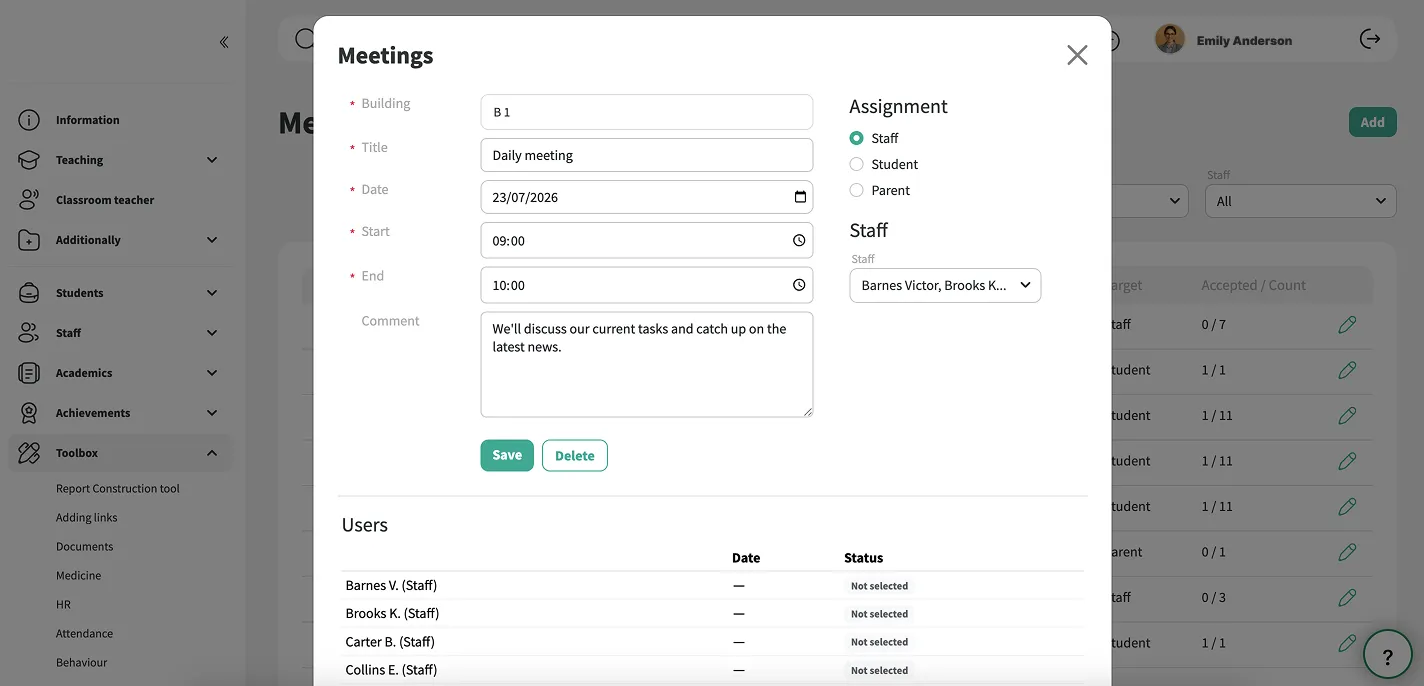
The module helps organise consultations, staff meetings, parents’ evenings and other school meetings.
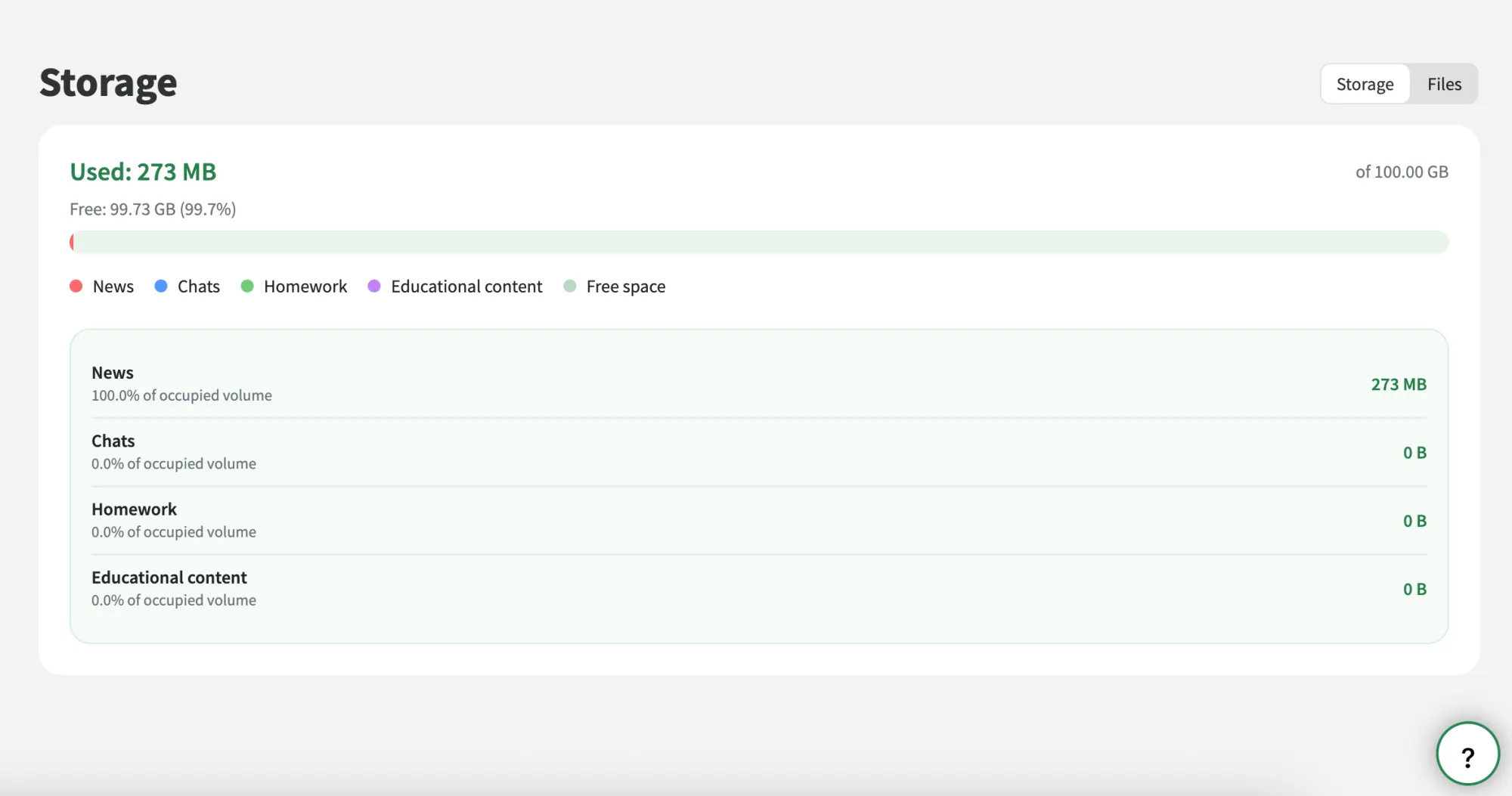
The module helps schools monitor cloud storage, identify the largest files and free up space when it is needed.
The module is designed for schools where students both study and live on campus.
Learn more about the module →Existing tools are now easier to use, better connected and support new ways of working.
Create and share learning materials with ease, using AI to save time on content creation. Assign courses to individual students or entire groups, allowing them to work through topics at their own pace.
Students are notified when a course is assigned, while teachers can track progress, review completed assessments and see how students are performing.
Parents can easily track their child's application, check its current status and upload photos or documents directly from the applicant profile.
They can also start a group chat with the admissions team without leaving the application. All staff with the relevant permissions can access the conversation through the Communications module or the Mojo mobile app.
Managing access in Mojo is now simpler and more flexible. Schools can organise related tasks and permissions into processes, making it easier to manage who can do what across the platform. All processes and their settings can be managed from one place.
Ready-made permission sets, quick search and the ability to hide modules for specific year groups help administrators set up and manage access more efficiently.
Share more content with fewer steps. Upload up to 15 videos at once to news posts, chats or homework, with a combined file size of up to 1 GB. Photos and videos appear together in a single media gallery.
Administrators can also monitor storage usage and quickly find the largest files in the Storage module.
Make Mojo feel like part of your school by adding your own branding. Customise the sign-in page with your school's logo and background to create a familiar experience for staff, students and parents.
Your school's branding is visible from the very first screen, making the platform feel like a natural extension of your school.
Add custom fields to student and staff profiles to keep track of the information your school needs. These fields can be filled in directly in each user's record and are then displayed in their profile.
Save time by importing information in bulk using an automatically generated Excel template. When exporting data, you can also choose which custom fields to include in the final Excel file.
Small improvements reduce everyday admin and give schools more control over familiar processes.
Need help? Administrators can now contact support, browse FAQs or ask the AI assistant a question from anywhere in Mojo. The AI assistant uses information from the current page to provide more relevant answers.
Teachers can mark homework as required, making it clear to students which assignments they must complete. A dedicated report helps teachers keep track of outstanding work and follow up with students who haven't completed their tasks.
Finding the right learning materials is now easier. Browse resources by topic or use specific search criteria to quickly find what you need.
Schools can now choose how far back teachers can edit marks. Set a time limit of two weeks, one month or the current reporting period, or allow changes without restrictions.
Schools can now rename year groups to match their own structure and hide any they don't use. This gives nurseries and schools with different year group systems more flexibility in organising their students.
Student profiles now show siblings who attend the same school, making it easier to see family connections in one place. This information is also available in the Paid Services and Boarding modules.
Collect feedback while protecting participants' identities. Survey results now use randomly generated identifiers instead of names, so individual responses cannot be linked to specific users.
Need to make a temporary timetable change? You can now adjust the schedule for a single week without affecting future lessons. Ideal for teacher cover, room changes and other one-off adjustments.
When teaching groups change, their chats can now be merged individually or in bulk. Previous messages are kept, and chats that are no longer needed can be closed, making it easier to keep school communications organised.
Respond to messages with a reaction instead of sending a reply. It's a quick way to acknowledge an update, show support or give feedback without adding another message to the conversation.
The mobile app now includes new features for parents and school staff, allowing more everyday tasks to be handled directly from a smartphone.
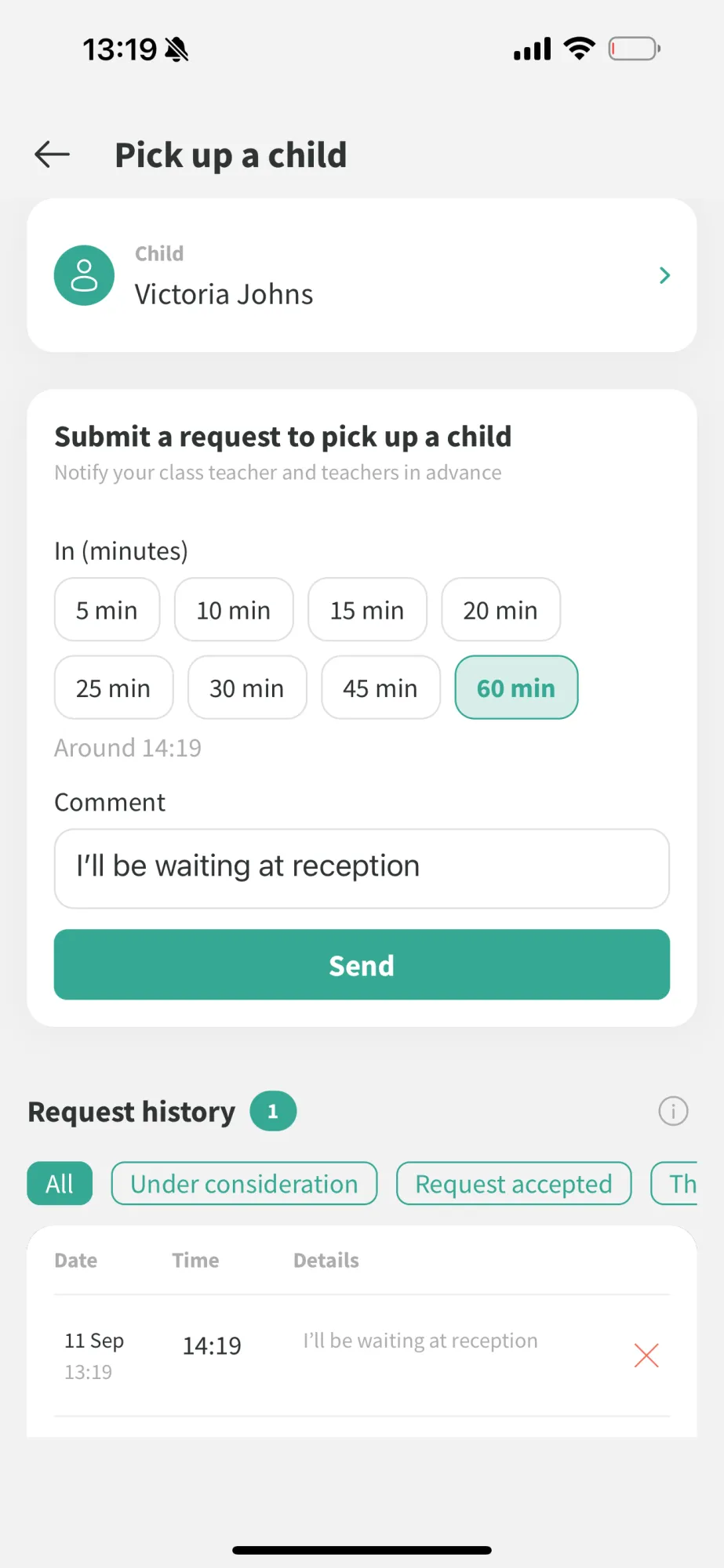
Parents can let the school know in advance through the app that they are coming to collect their child, without having to call or message staff.
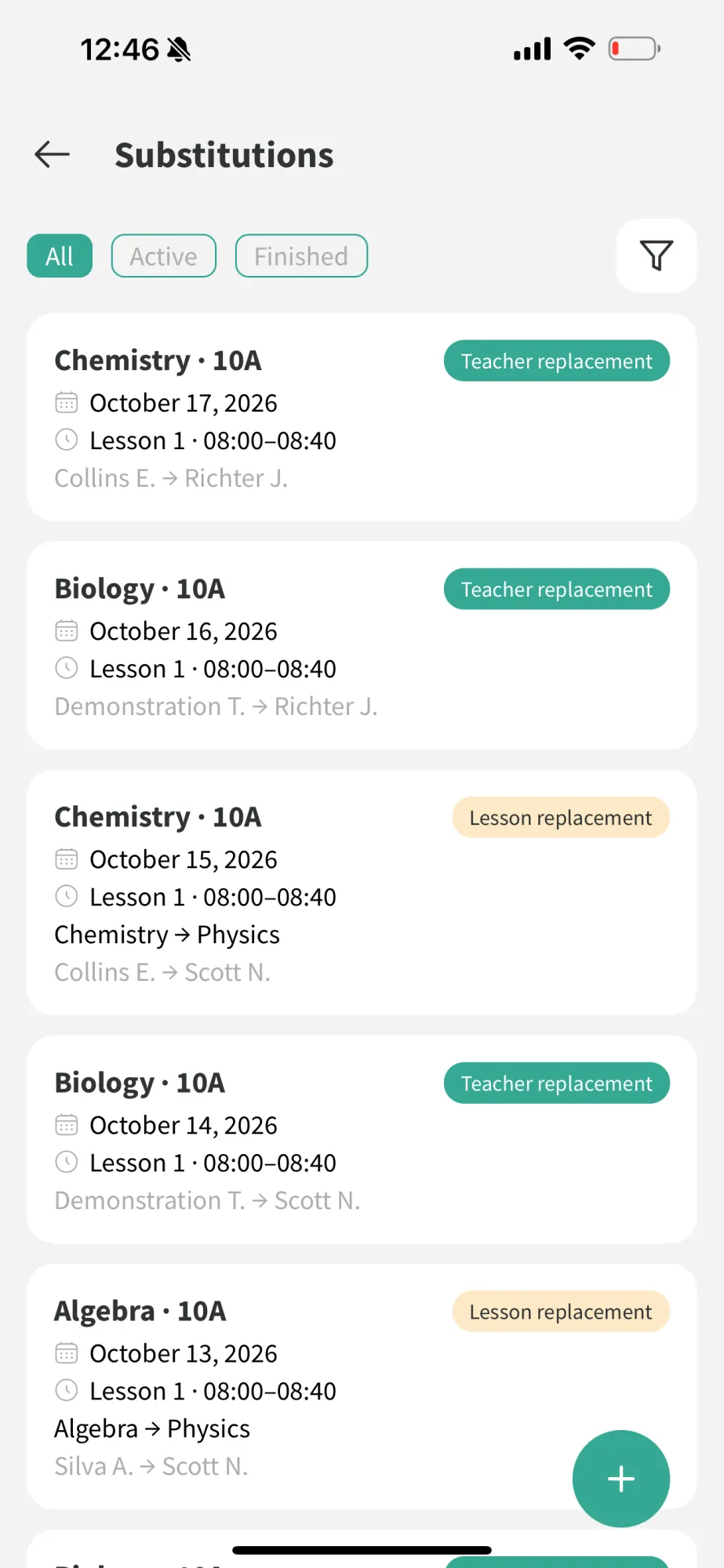
School leaders can view current lesson substitutions from their phone and keep track of timetable changes more easily.
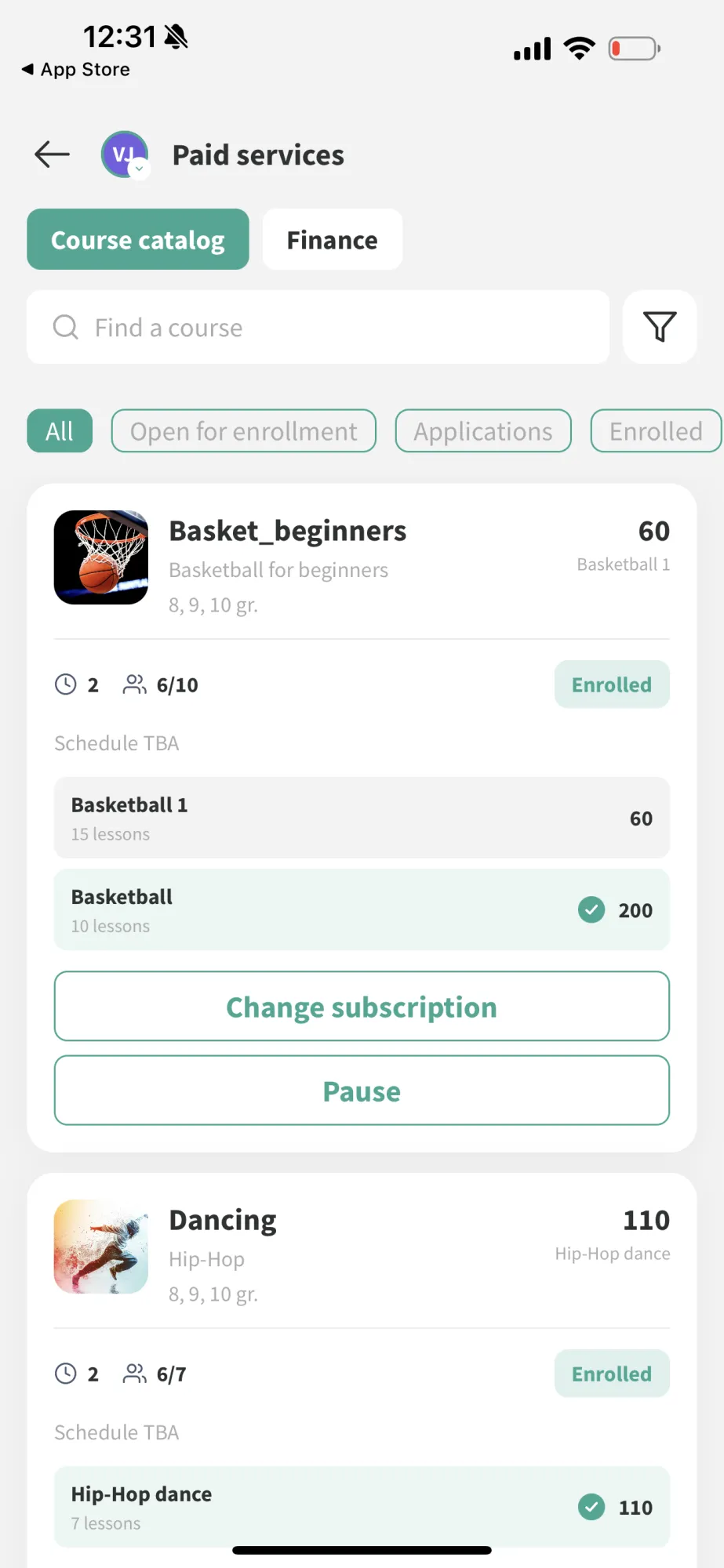
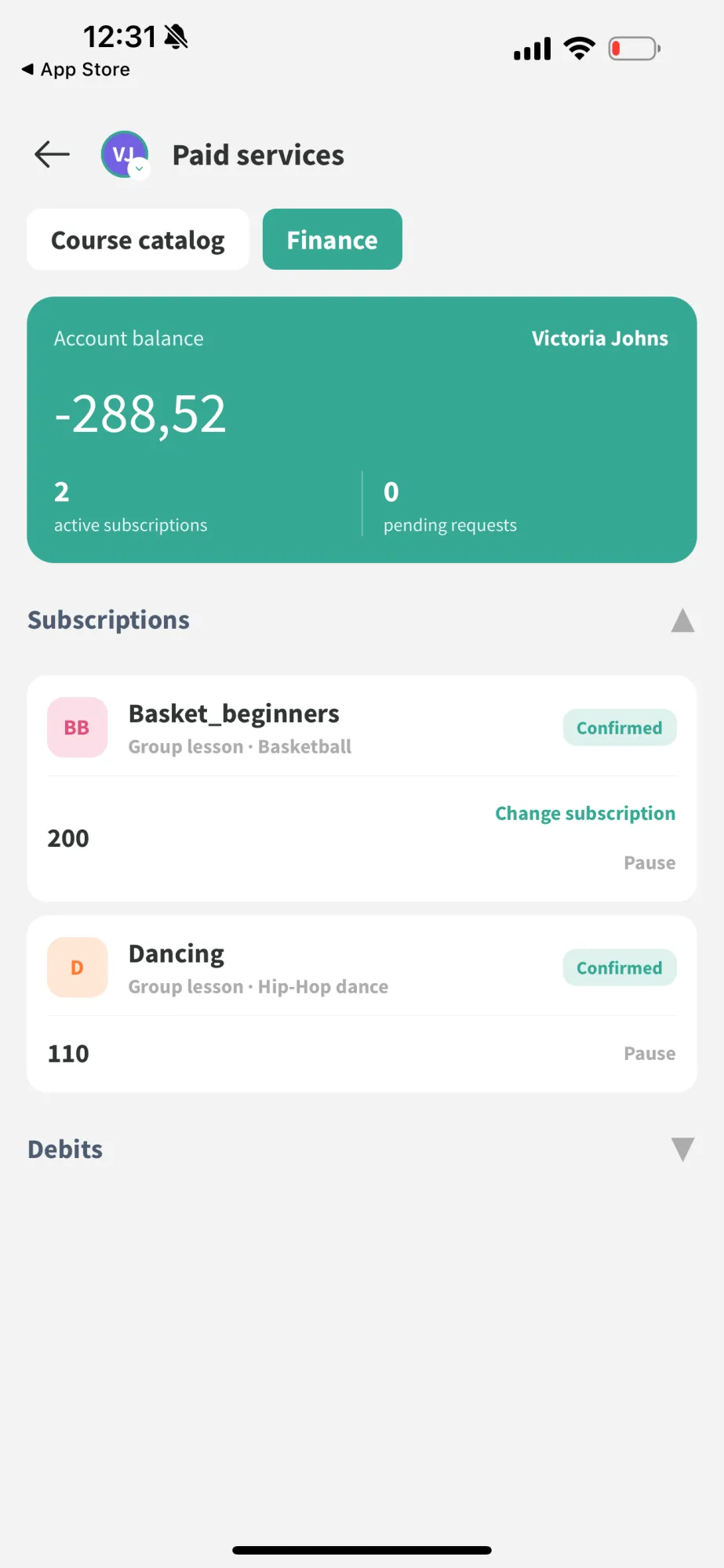
Parents can view charges and pay for additional school services directly in the mobile app.
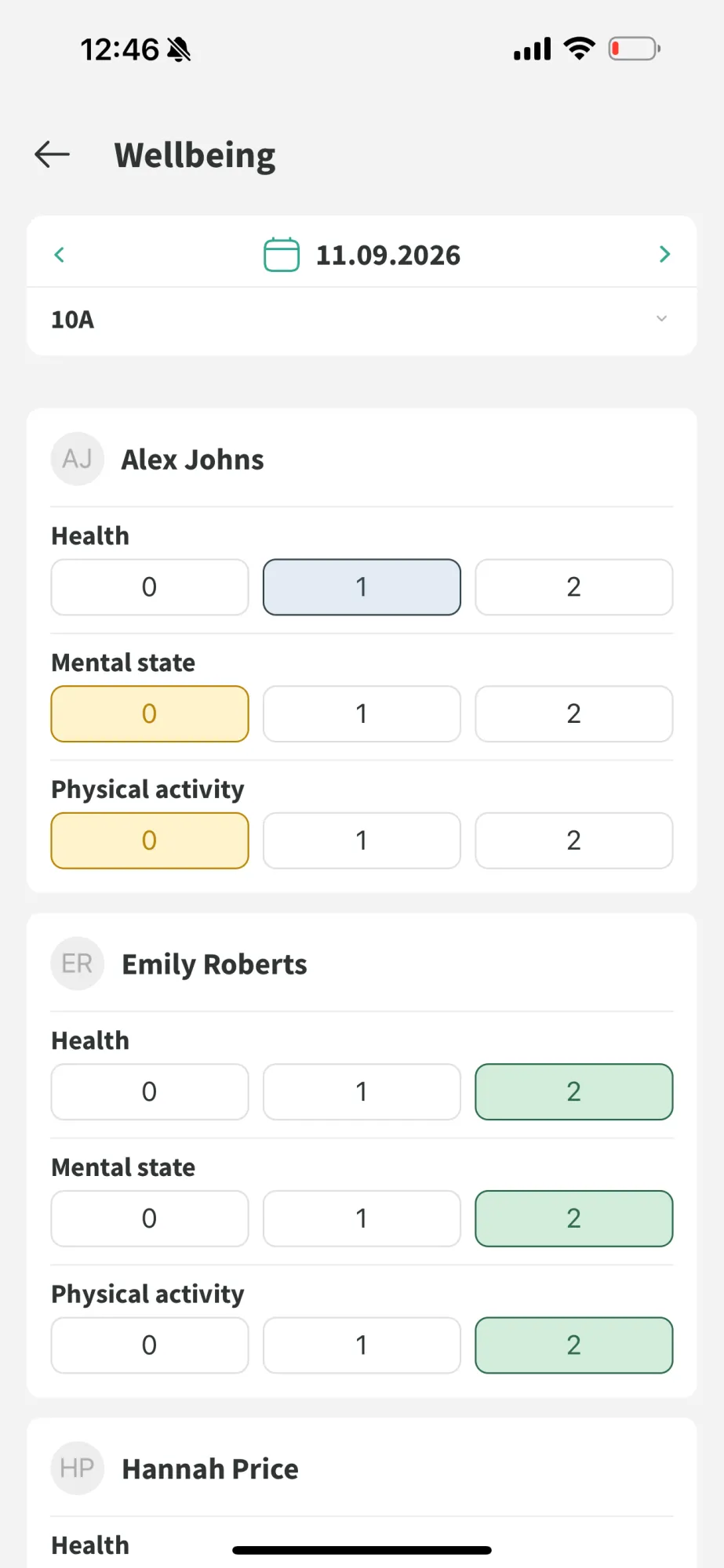
Form tutors and school leaders can use student wellbeing tools directly in the mobile app.
The summer updates support school leaders, teachers and parents. Major modules automate entire processes, smaller improvements reduce everyday admin, and the mobile app brings more day-to-day tasks to users’ phones.
We continue to develop Mojo around the needs of schools and feedback from users. Follow our updates to see what comes next.