1
process "one"
2
process "two"
Why choose the Timetable Builder?
A safe environment for experimentation

Work takes place in a separate timetable workspace for the selected period, so the school’s current timetable remains unchanged until you are ready to replace it.

A timetable built around your requirements

The AI takes your specified constraints into account, such as the days on which a particular teacher is available, and adapts the entire timetable accordingly.

Build on your existing timetable

You do not have to start fr om scratch. You can use the current timetable as a foundation and update only the sections that need to change.

Simple and flexible editing

The completed timetable can be edited manually, allowing you to move lessons and adapt the result to your school’s specific needs.

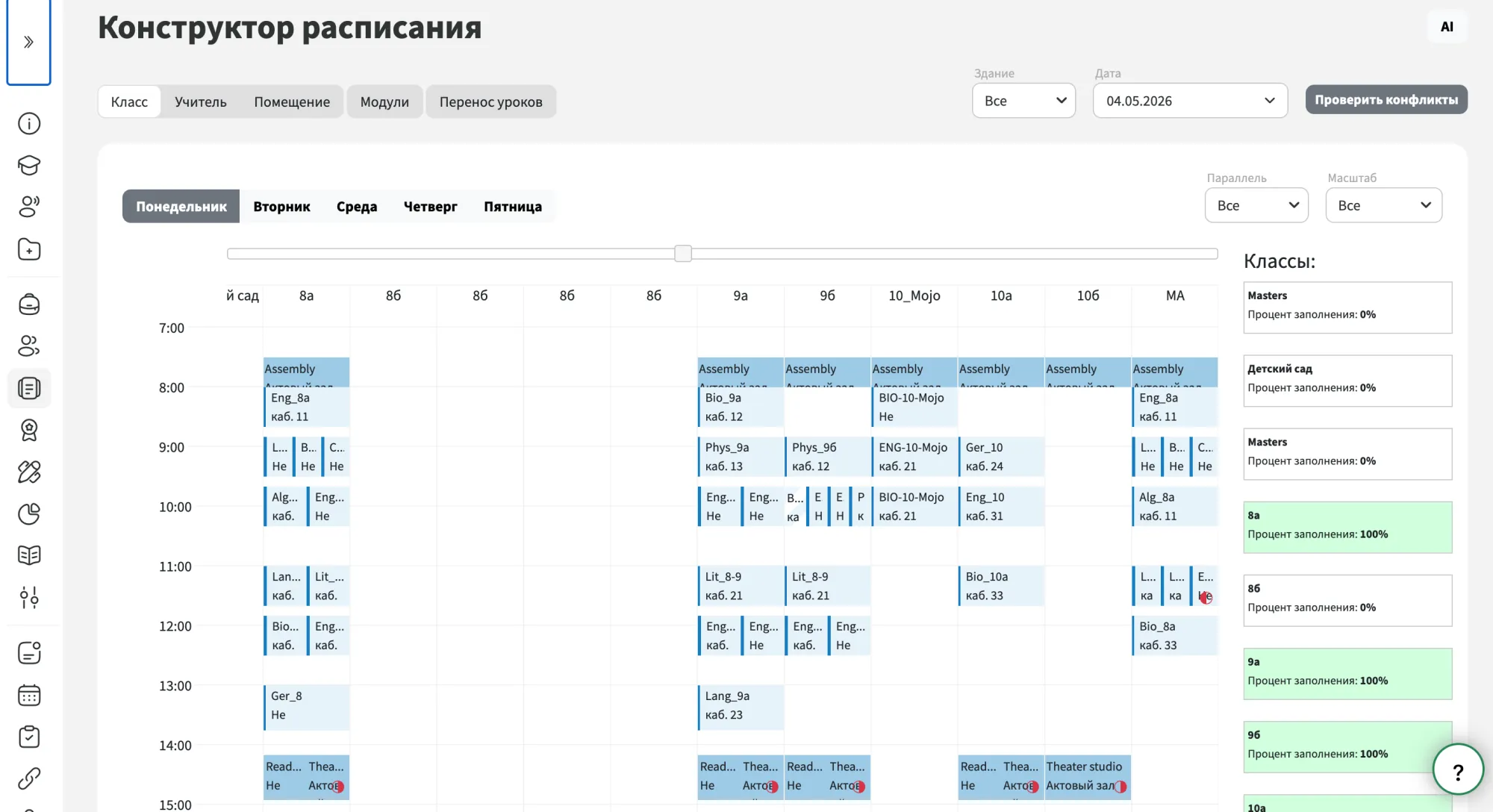
Timetable workspace

The timetable workspace is a separate environment wh ere you can create a timetable for a selected period, such as the following month or the entire academic year. It is completely separate fr om the school’s current timetable, so you can experiment with a new version without affecting the timetable currently in use.

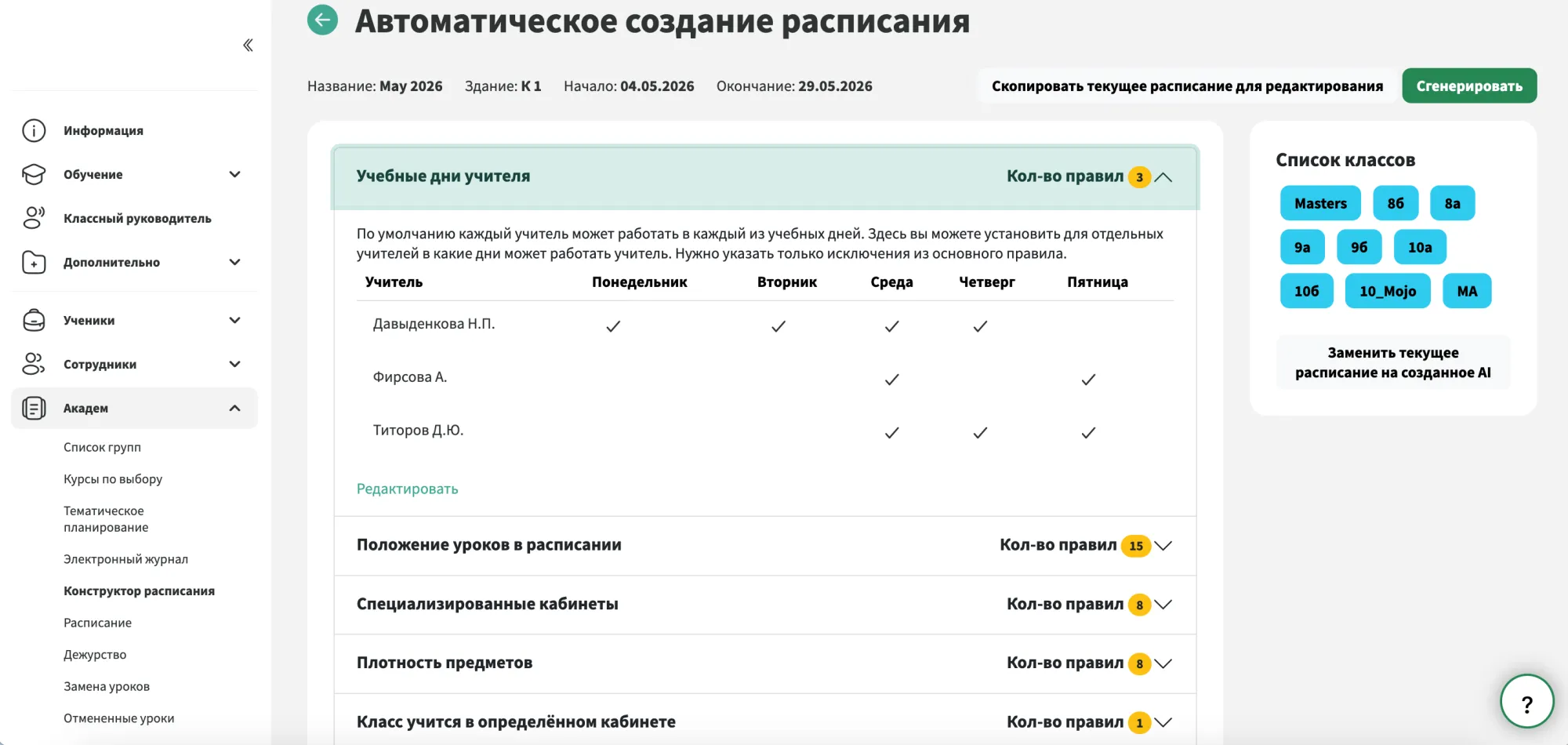
Rules and generation

Before starting the generation process, the school defines the rules that the AI must follow when building the timetable. For example, you can specify that a particular teacher is available only on certain days. Each rule can be adjusted to suit a specific situation. You do not have to start from scratch, as the system can use the school’s current timetable as a foundation and rebuild only the sections that need to change. The generation process takes up to five minutes, depending on the number of lessons and teaching groups in the school. Once complete, the system creates a separate timetable for every class.

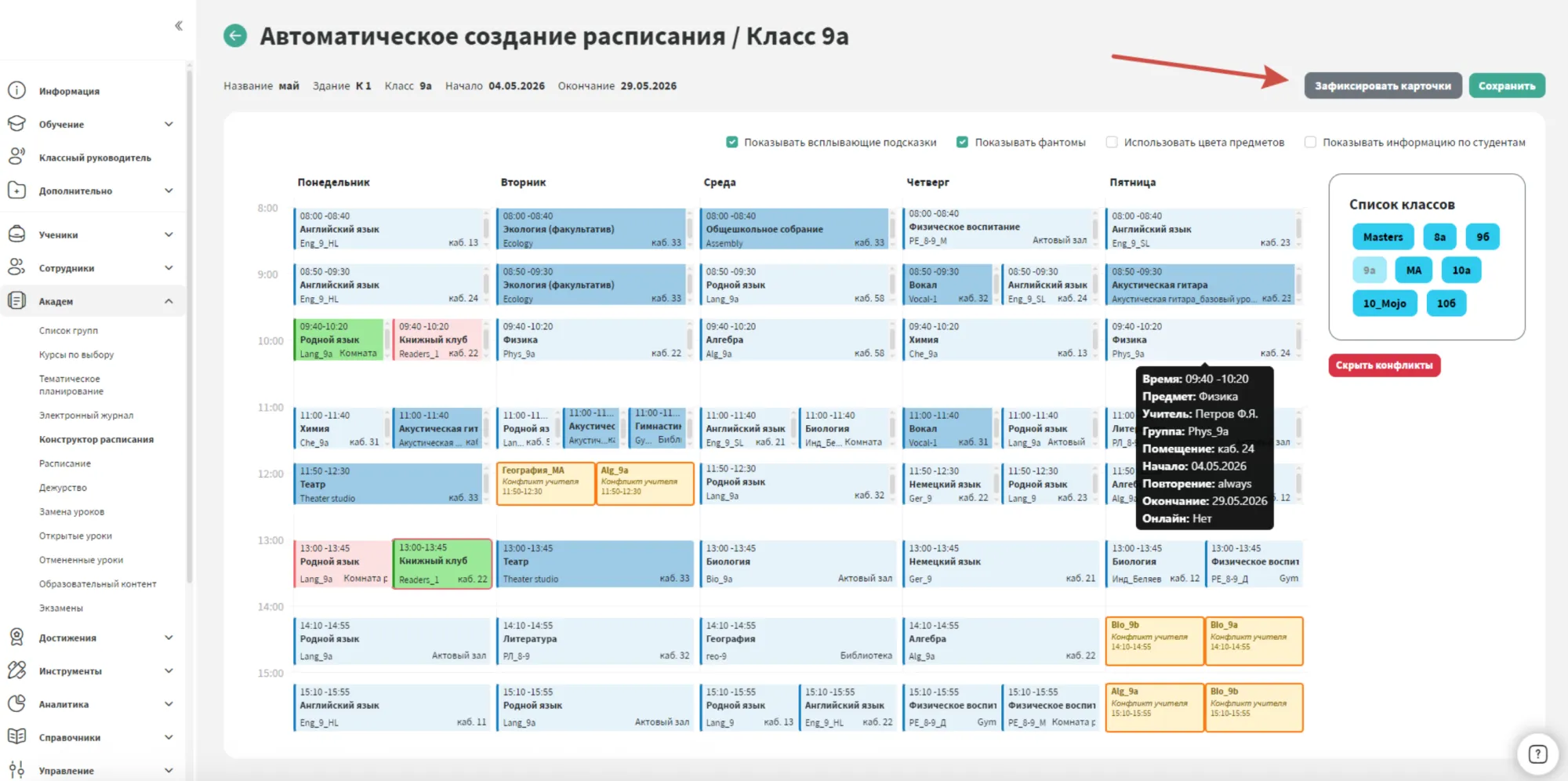
Review and editing

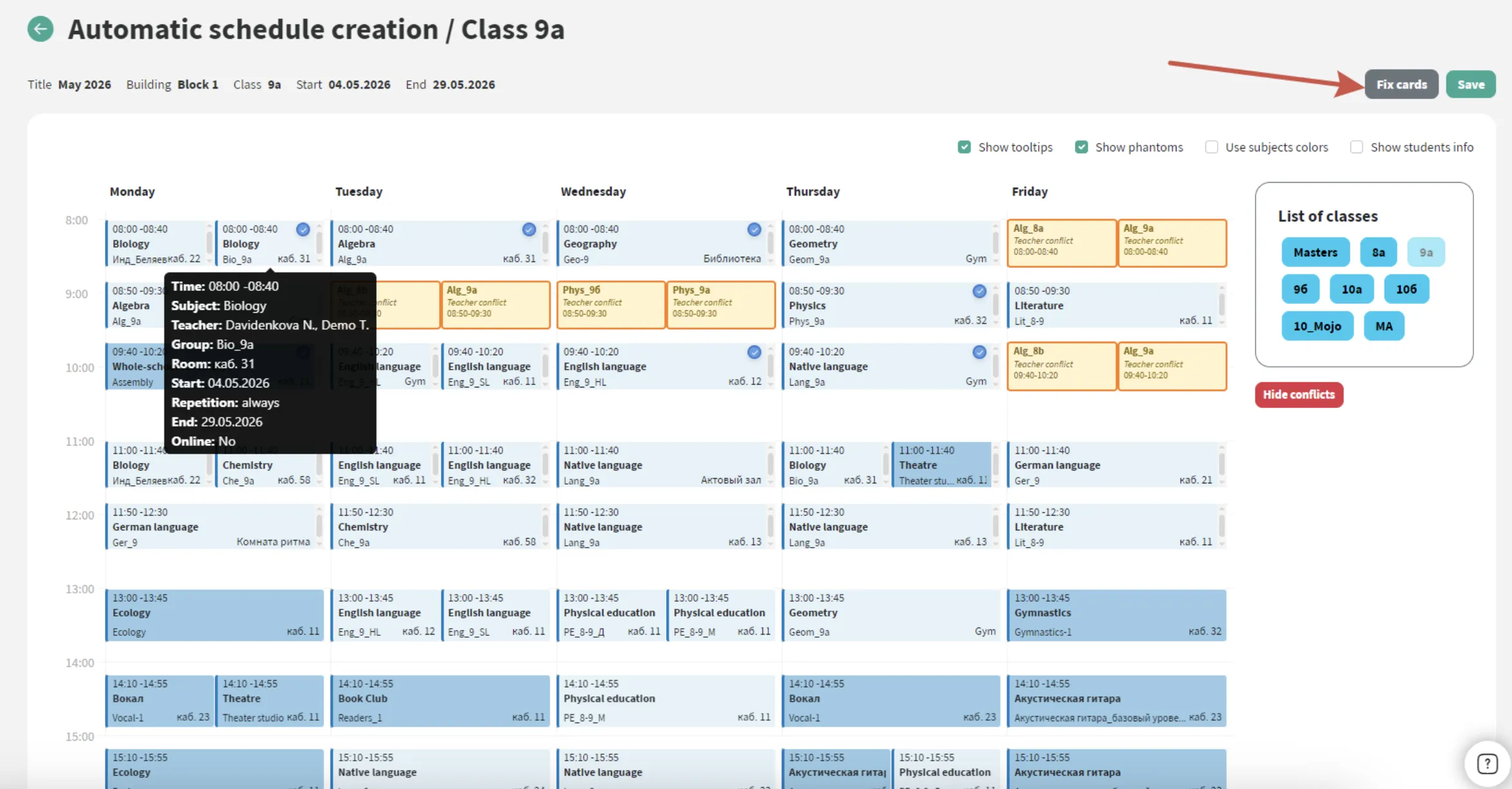
The AI-generated timetable opens in the familiar Timetable Builder interface, wh ere you can check for conflicts and assess how well the suggested timetable works for each class. If you are not satisfied with the result, you can generate a new version. Lessons that are already scheduled successfully can be locked in place so that the system leaves them unchanged during the next generation. Any remaining lesson cards can also be moved manually. This allows the Timetable Builder to combine automated generation with precise control by the school.

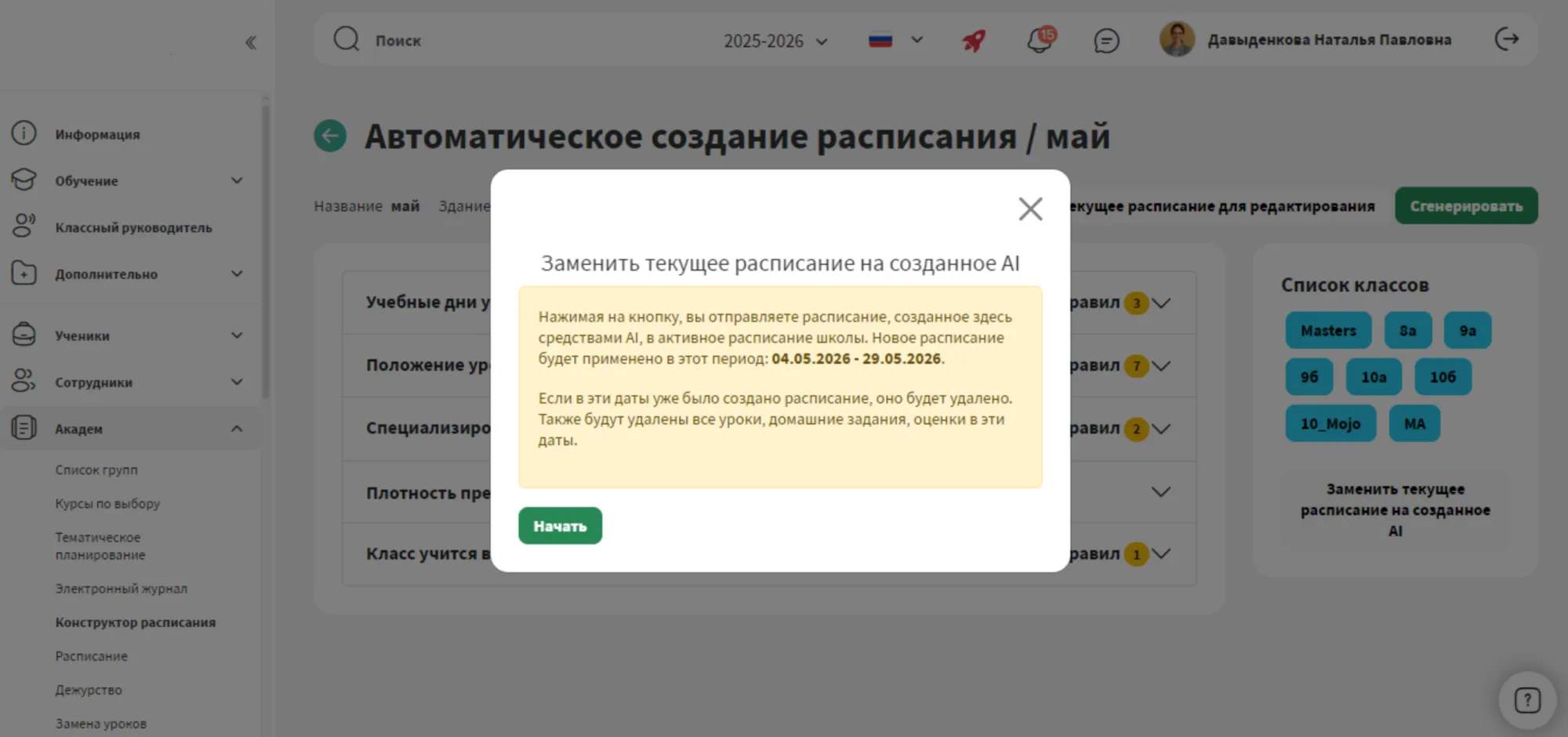
Review and publication

Once the timetable is ready for every class, it can be applied across the entire school. The new timetable will take effect for the period for which it was created and will replace any previous timetable already scheduled for the same period.


Mojo — Manage your school with ease

Check out our other services

This website uses cookies to store data. By continuing to use this website, you consent to the use of these cookies.