
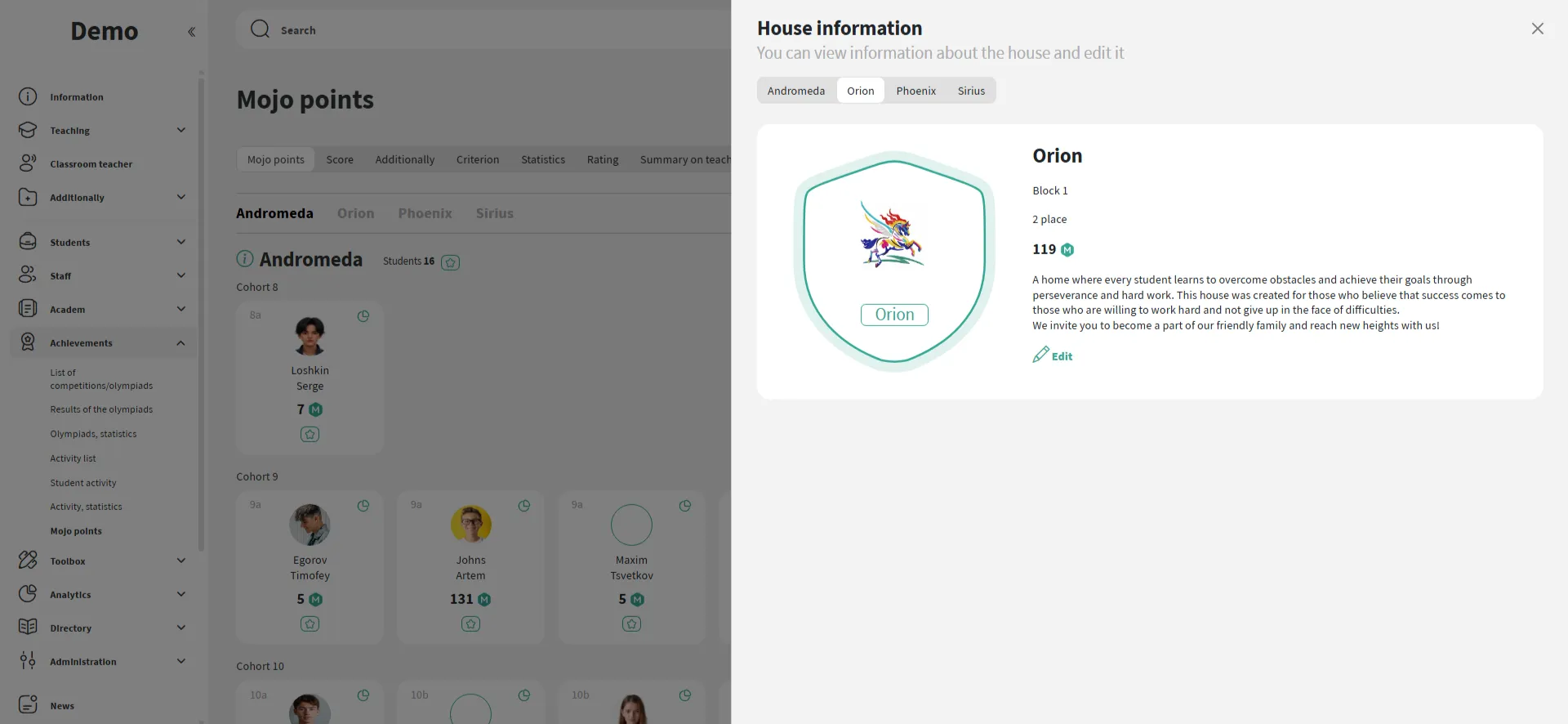
The school can define the structure of Houses: name, color, emblem, description. Students can be easily assigned manually or moved between Houses if needed.
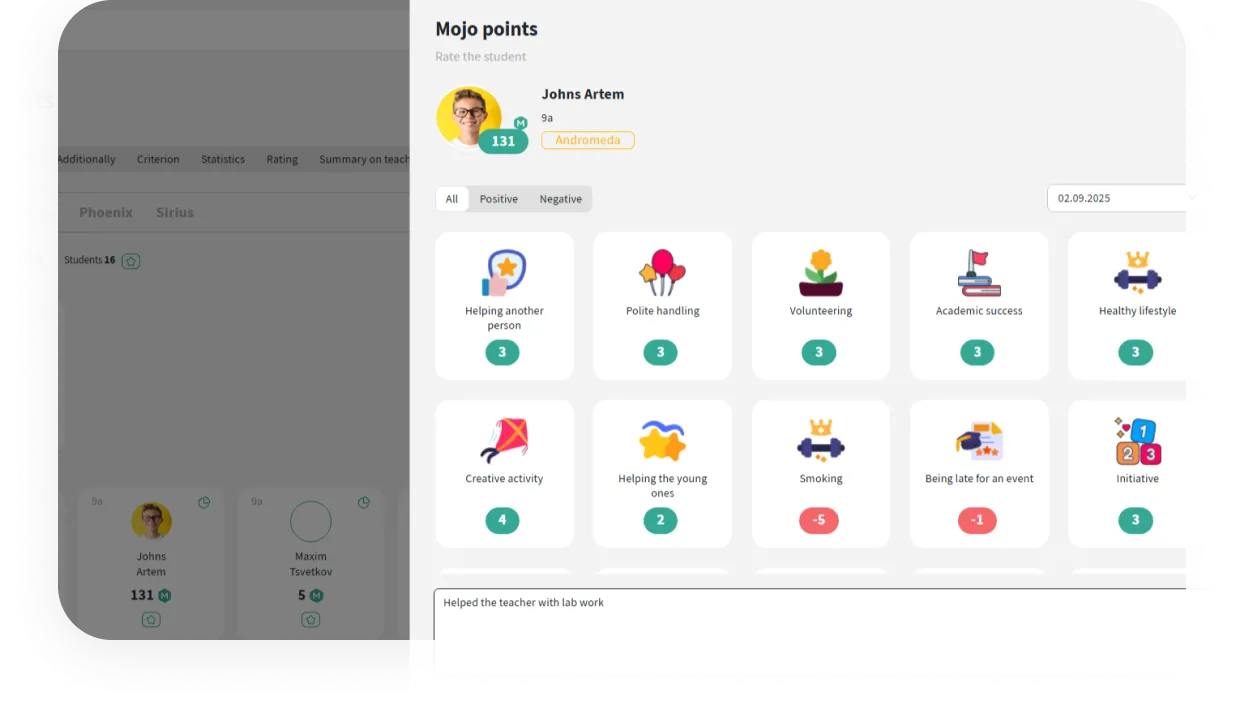
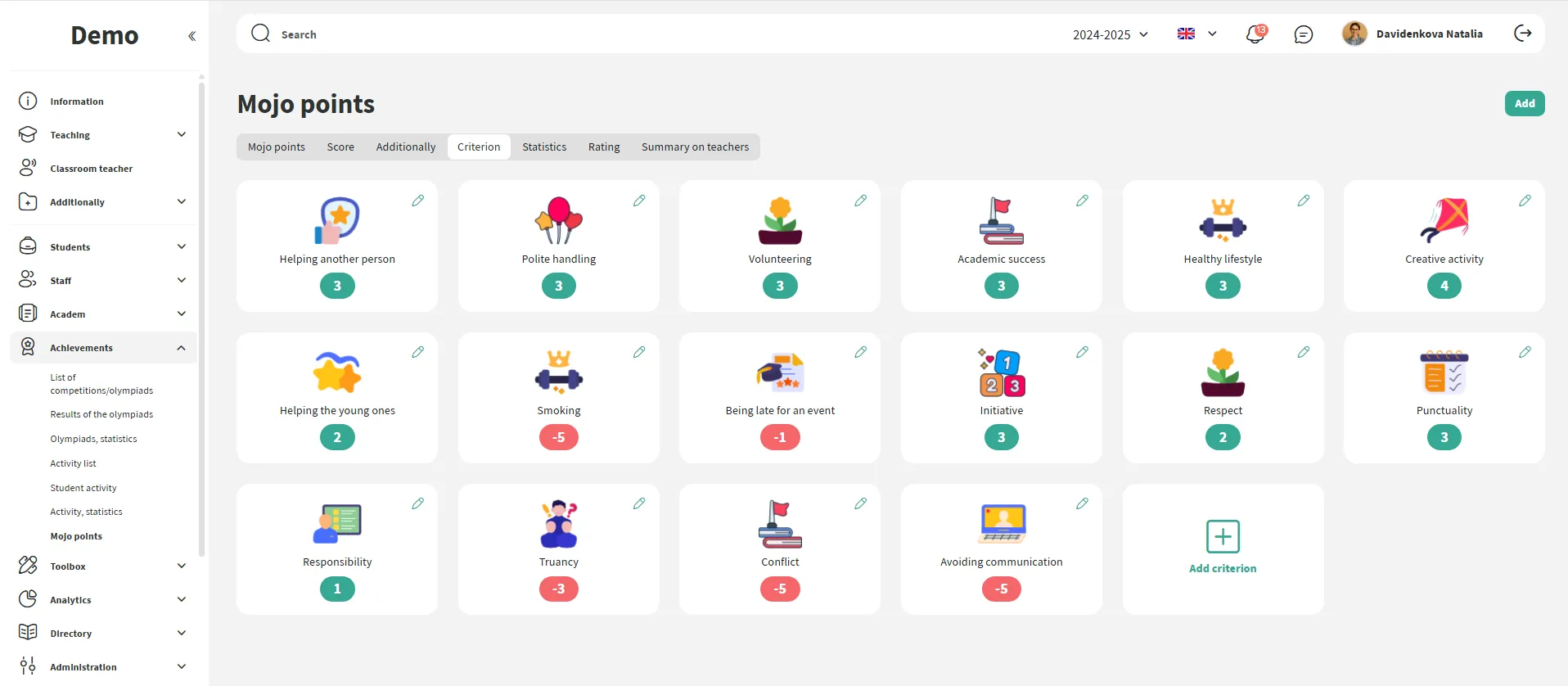
You can set your own criteria for awarding points — including both positive and penalty points. Each criterion can be assigned an icon, a recommended number of points, and a comment.
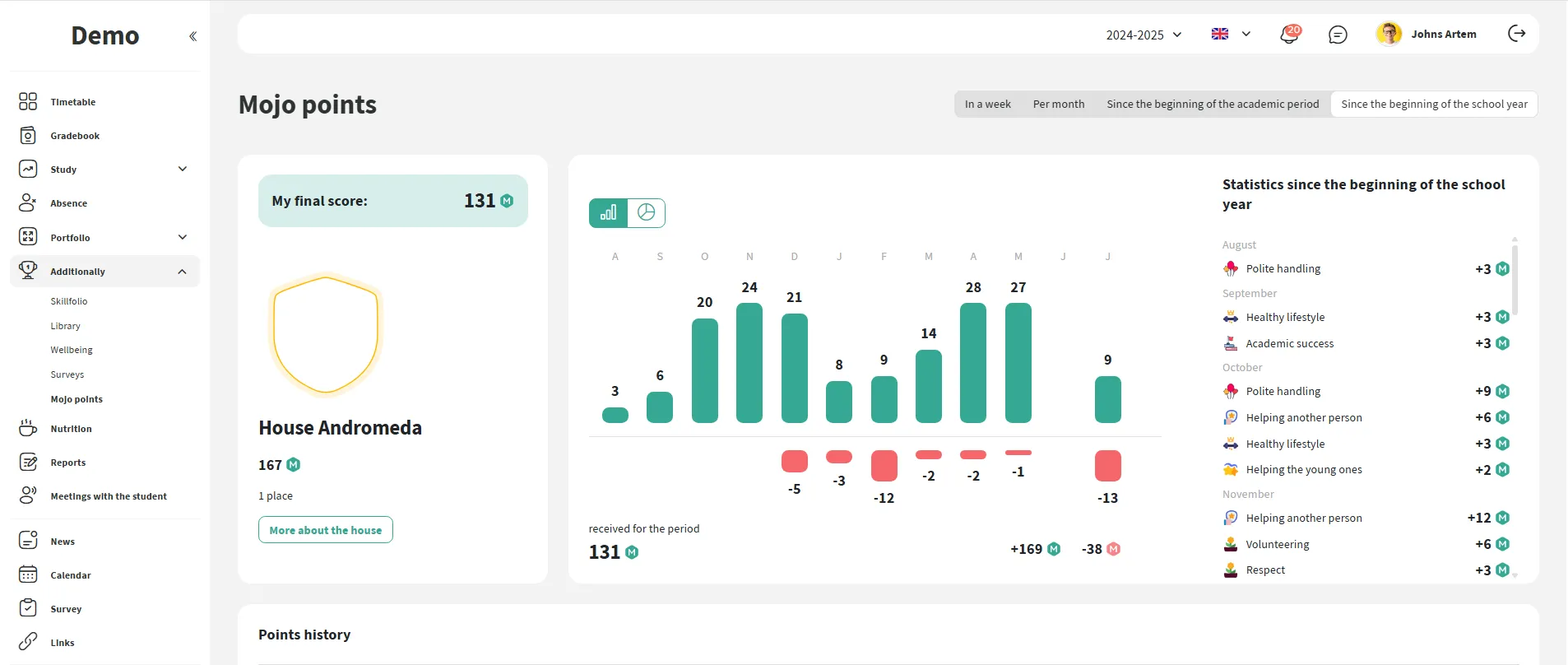
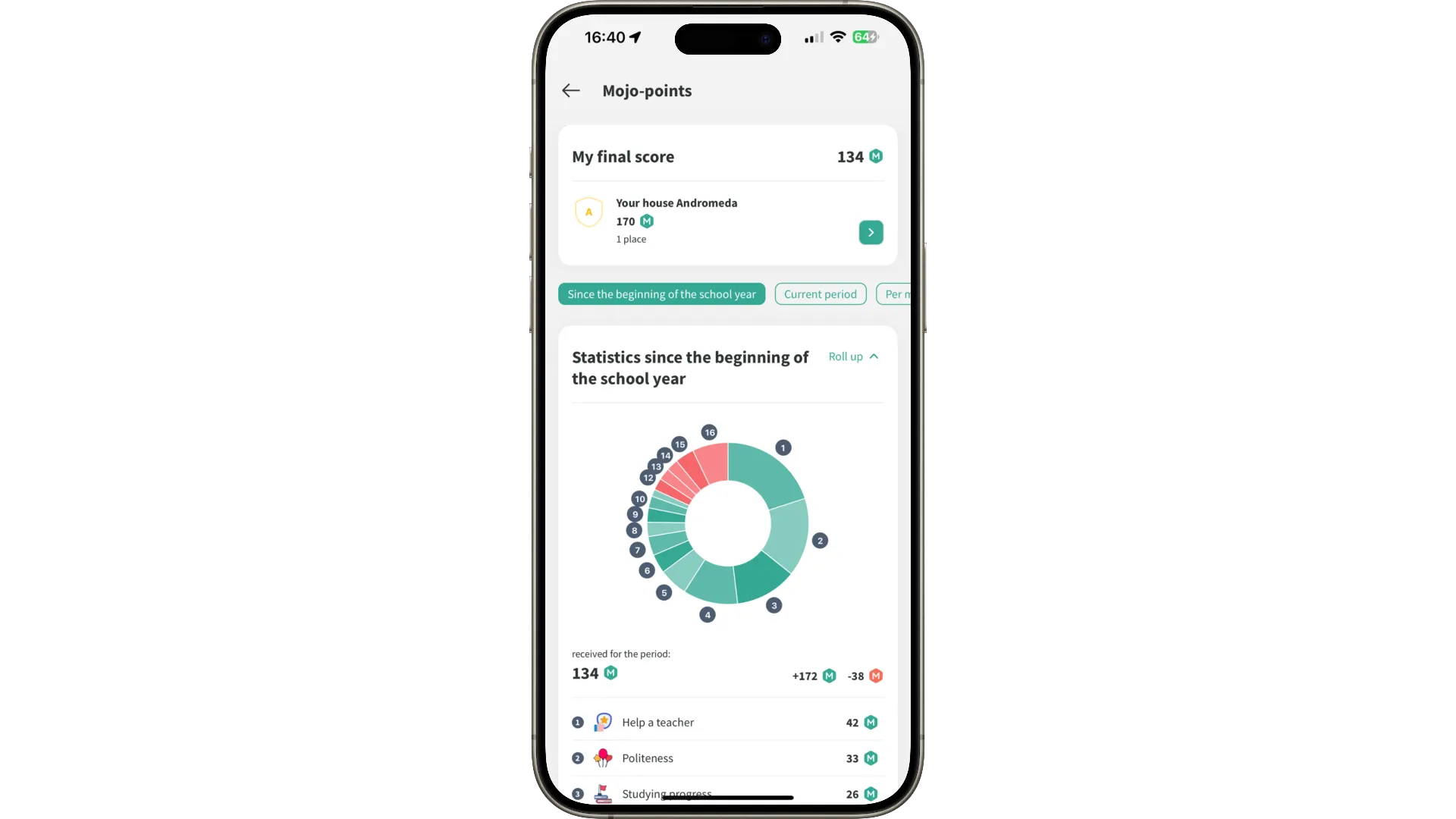
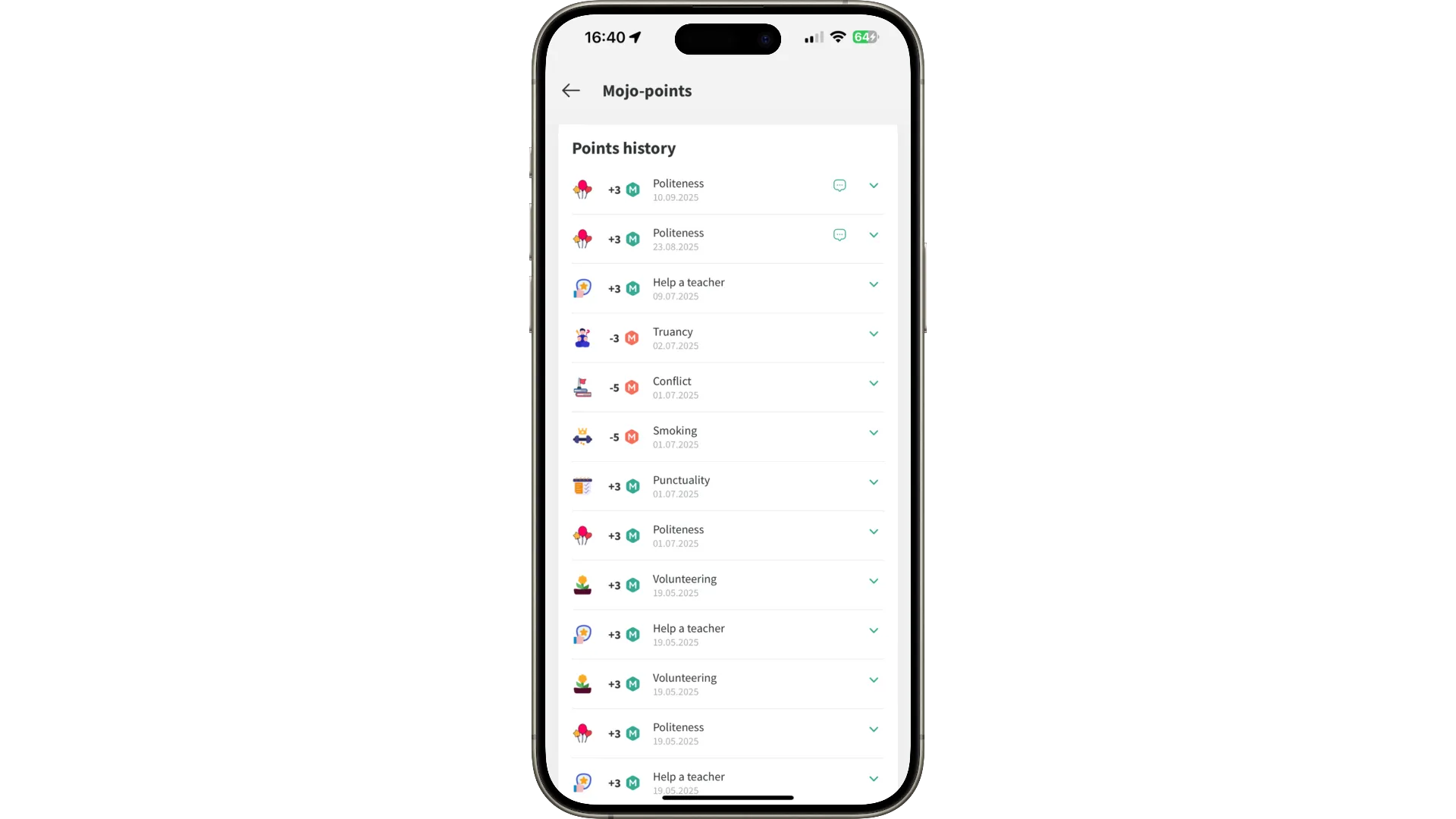
The student sees in the app what points they received, when, and from whom. This makes the system transparent and helps discuss progress during meetings with parents.
Everything works in the mobile version as well: points, history, reasons for awarding — all in one place and always at hand.
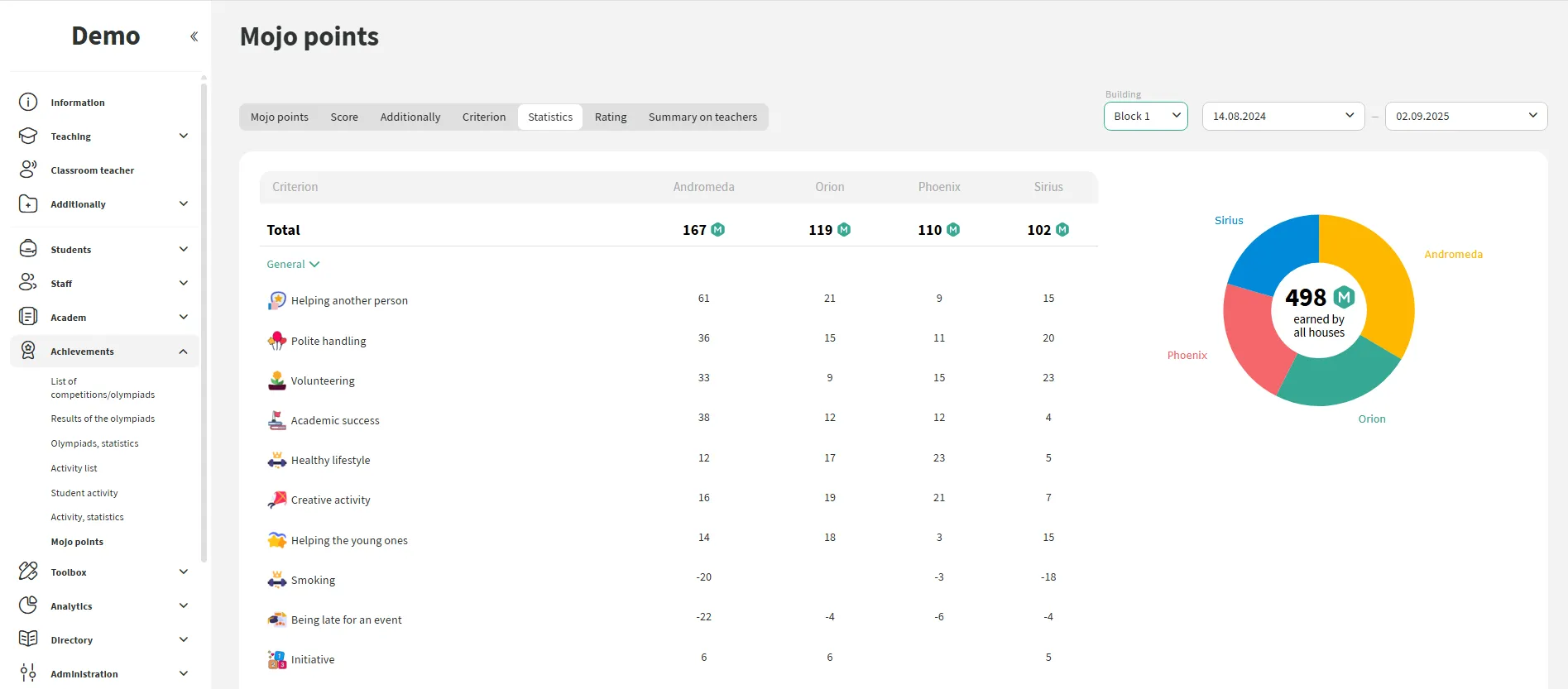
The table with the overall score of Houses updates in real-time. Results can be displayed on school screens or used during assemblies.
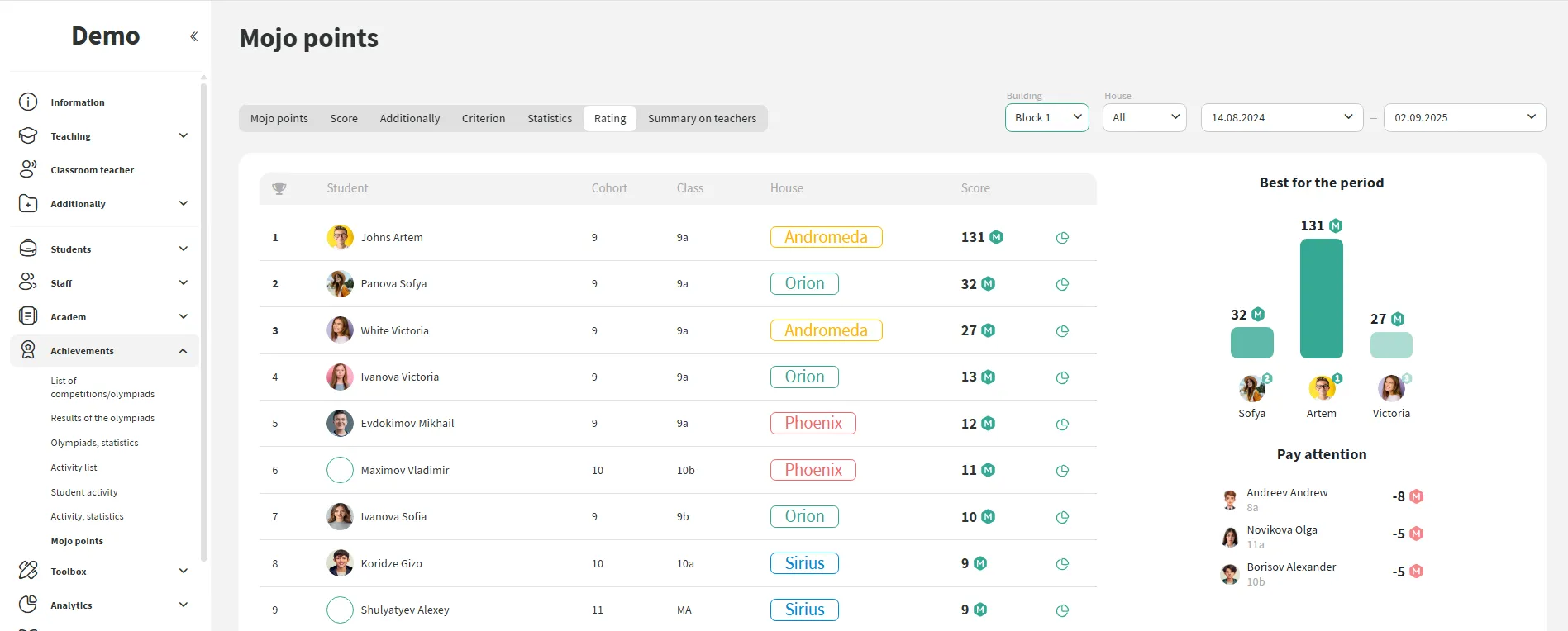
The school sees the ranking of students based on the number of points earned. This helps to promptly recognize active students and strengthen positive motivation both in the classroom and at the school level.





We have accepted the application and will contact you soon to set a time for the presentation.
