
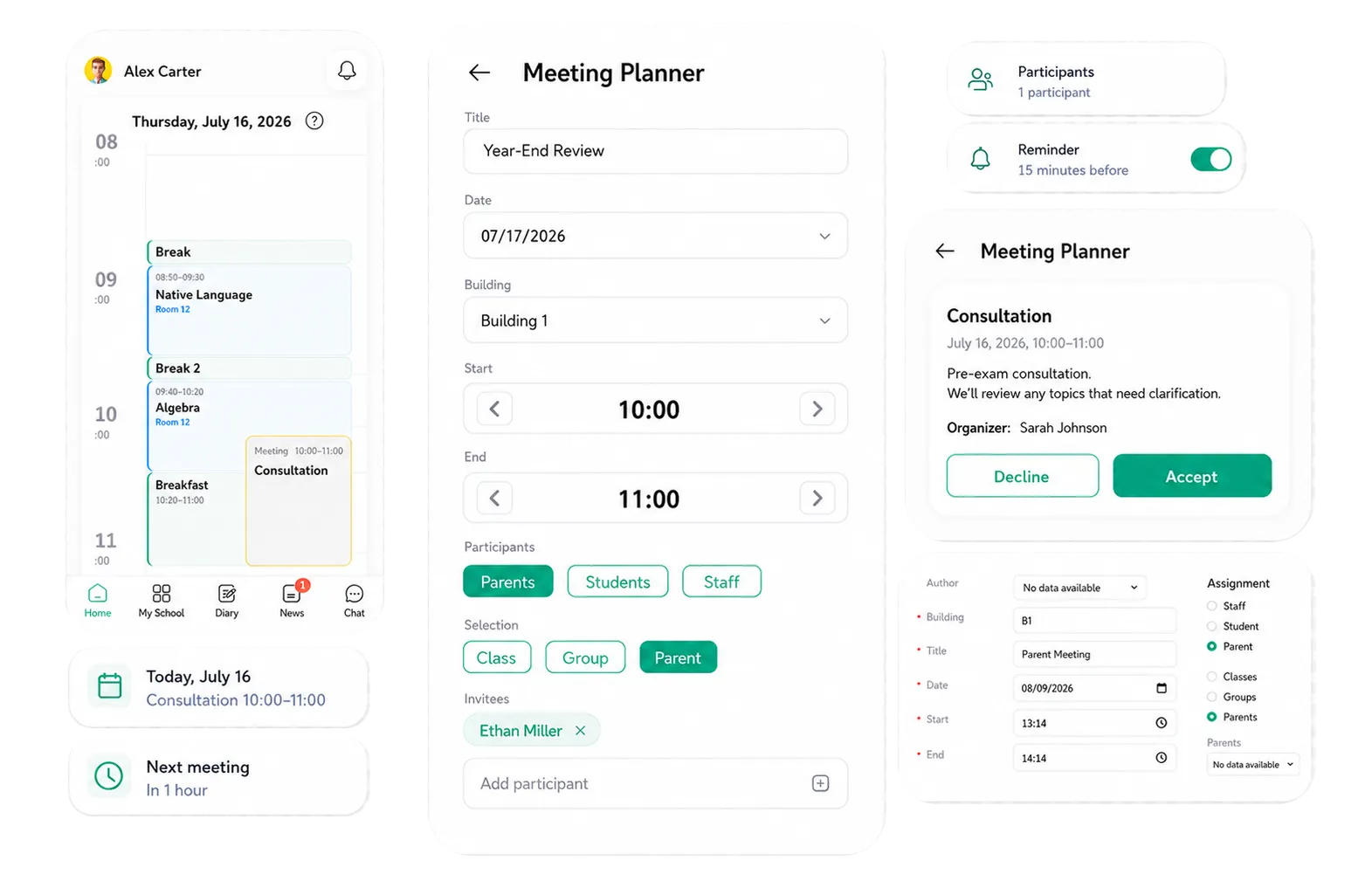
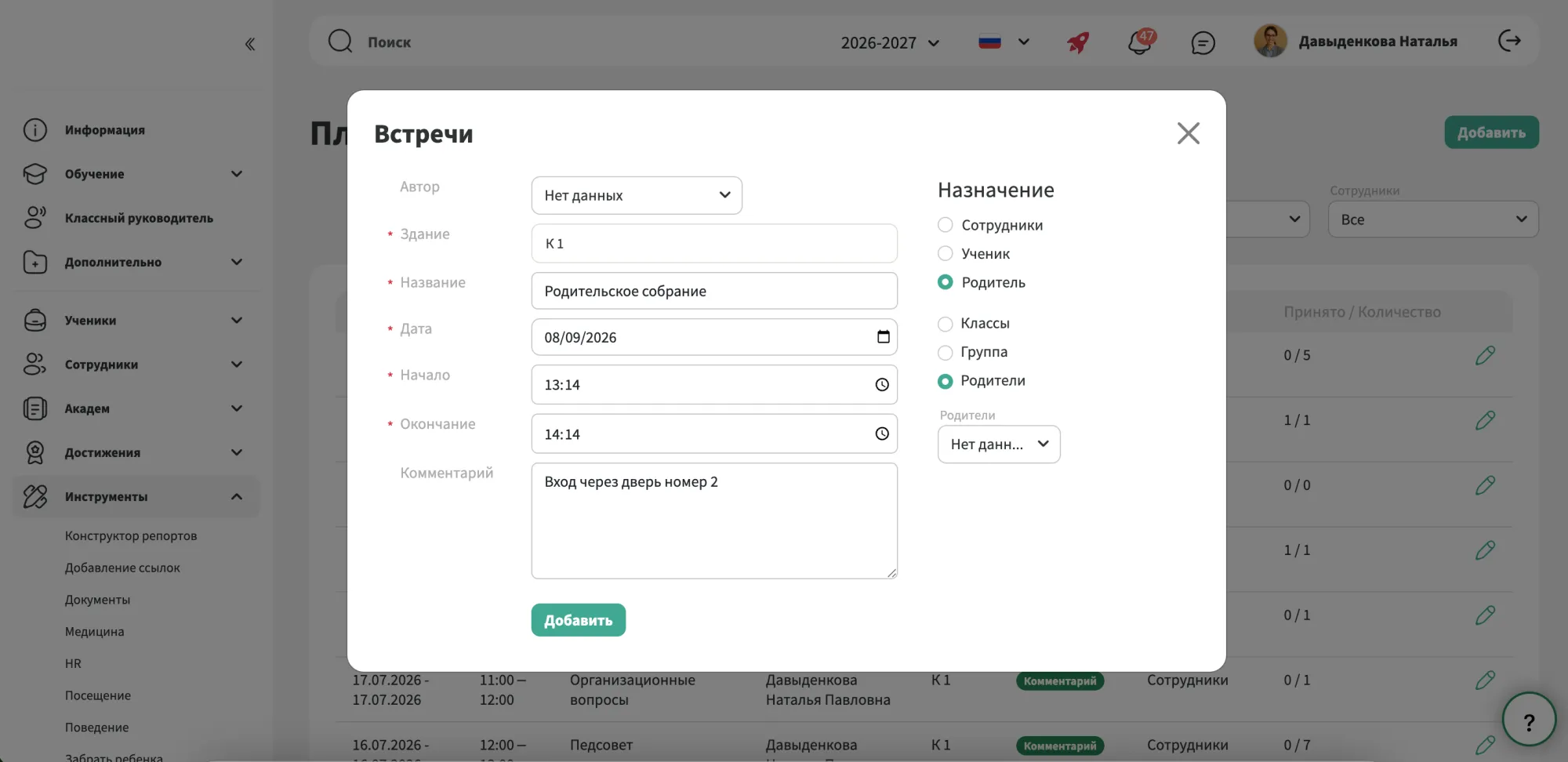
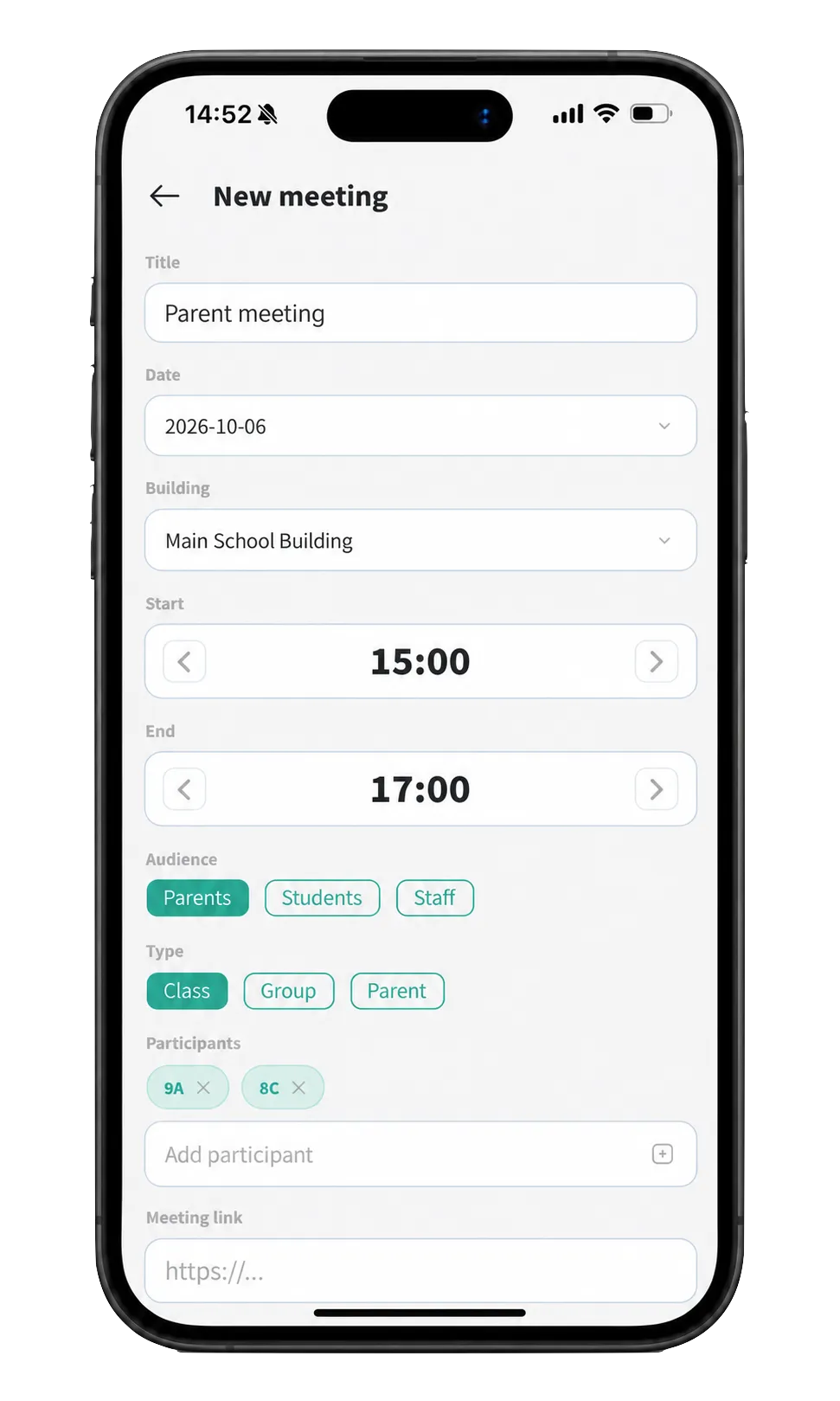
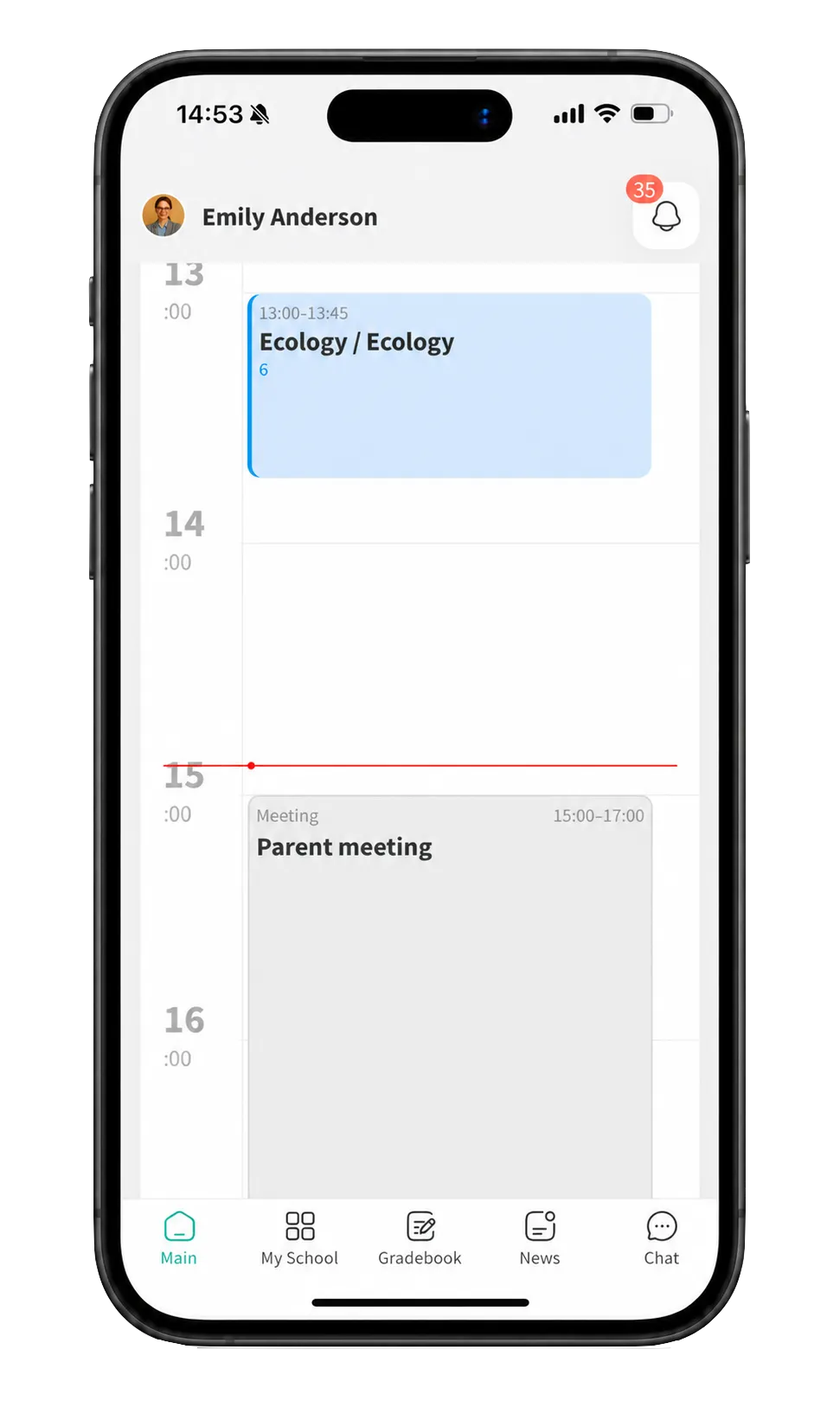
Meetings can be scheduled from the planner or directly from the school timetable. Once the date, time, location and participants are added, the meeting appears automatically in the schedules of everyone involved.
This works for anything from staff meetings and parents’ evenings to consultations, meetings with the school psychologist and individual conversations with students or parents.
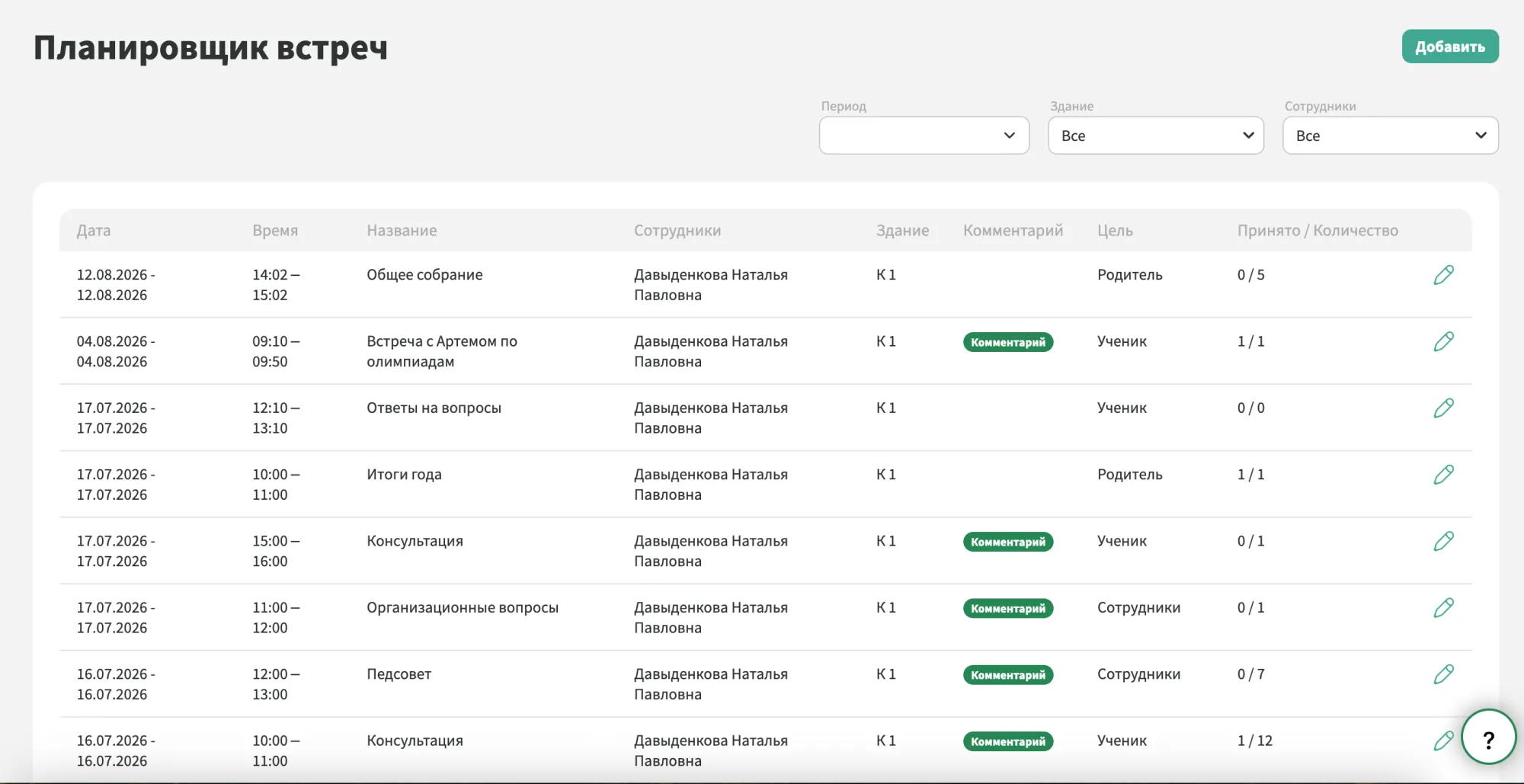
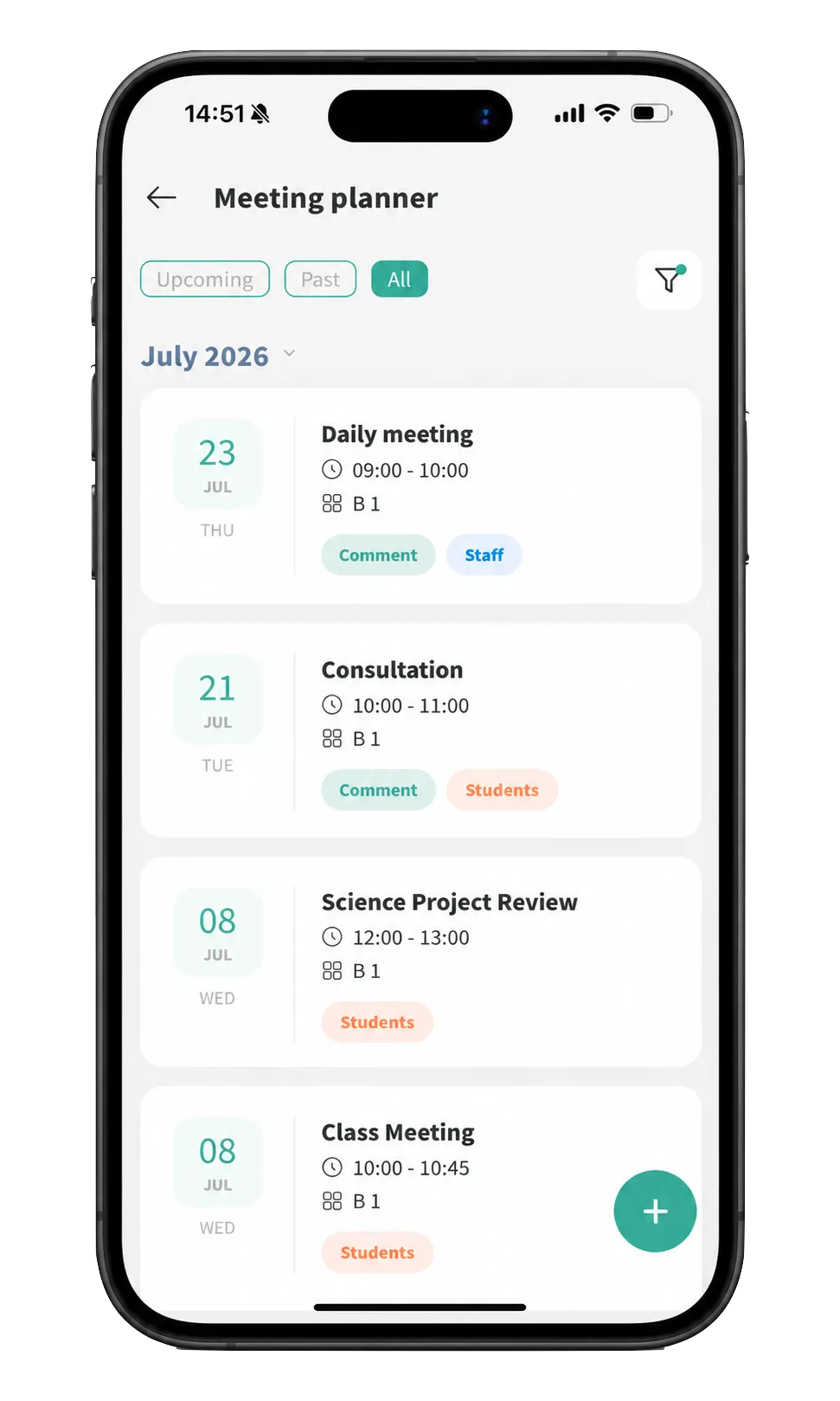
Upcoming meetings are shown with the key details already visible, including the date, time, location, organiser and participants.
Filters help narrow the list by date, building or member of staff. Administrators can see meetings across the school, while teachers have a clear view of their own meetings and invitations.
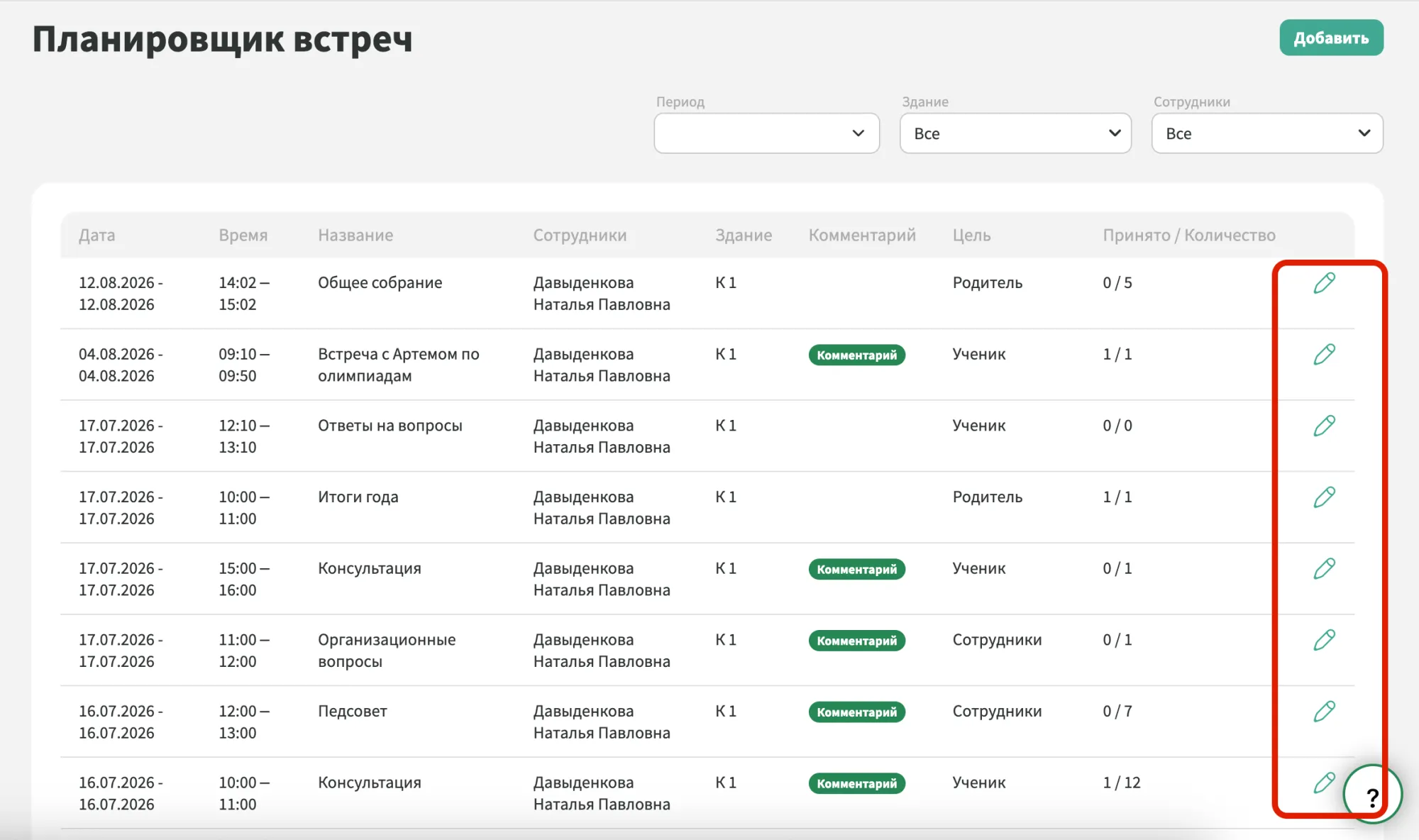
If plans change, the organiser can update the date, time, location, notes or guest list. The latest details are reflected automatically in participant schedules.
Cancelled meetings can be removed just as easily, so outdated information does not remain in anyone’s timetable.
The same meeting information is available in the Mojo mobile app. Users can check upcoming meetings, open the details and respond to invitations directly from their phone.
This means the latest time, location and attendance status are always easy to check when needed.
We have accepted the application and will contact you soon to set a time for the presentation.
